Inhibiting Alarms
You can inhibit to ignore the alarms and continue arming or disarming the system. This helps you to investigate and resolve the cause of the alarm.
-
The Status Display lists the number of triggered alarms.

-
Select an option using the keypad arrow keys 4 (left) or 6 (right), then press
 .
.Available options:
Option
Description
Inhibit All
Ignore all alarms.
View
Toggle each triggered alarm.
-
Go through the list of individual alarms using the keypad arrow keys.

Available options:
Option
Description
All
Ignore all alarms.
Inhibit
Ignore the current alarm.
Next
Toggle to the next triggered alarm.
-
Go through the list of available areas using the keypad arrow keys.

Available options:
Option
Description
Add
Include the area for multiple selections.
Next
Toggle to the next area.
Rem
Remove the area from the selection.

-
The arming process begins. The Alarm Keypad buzzer beeps during a set Exit time.

Once this is done, the system is armed.
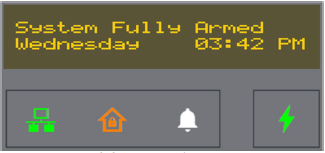
The Status Display returns to the fully armed idle display and the Arm Status LED is colored Amber.