Reporting
Sonitrol CORE captures events, transactions and statistics about your system. Creating reports from filtered real-time data enables decisions to be made on improving your system and planning for future security requirements.
Reports are created by selecting a default report type, then filtering to extract the information of interest. Reports can be saved to be re-used, copied and/or exported.
A number of default report types are available and custom reports can be created.
The number listed next to a report type displays the number of reports of that type that have been created. In the example 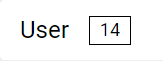 , 14 user reports have been created.
Click any hyperlinked text listed in a report on the screen, to go its details page.

|
Type |
Description |
|---|---|
|
Alarm |
List of all alarms, their priority, alarm type, which site they originated from, how many times the alarm was triggered, when it was raised and who closed the alarm (if it was closed). |
|
Attendance |
List of users on the premises with their entry and exit times and the card / door readers used. |
|
Credential |
List of credentials used, with the card number, facility code, issue code, the profile used to create the credentials, the user of the credentials, and the status state also if a valid from date is relevant. |
|
Event |
Lists all events associated with a site, the point name and date / time of the event. |
|
Role |
Lists all roles by name and the associated site, asset, permissions and schedule. |
|
Roll Call |
Lists all users and their associated details as well as their entry time in a site / area. |
|
Site |
Lists all sites, their addresses, time zones as well as the firmware version that is currently active. |
|
State |
Lists the site name and point name for an analog alarm and its value. |
|
User |
Lists the details of all users. |
|
User Access |
List the user's access to a site, through a door, to an area and whether the access is valid or not. |
|
User Role |
List of user mapped access roles and their permission to various facilities on the premises. |
|
Visitor |
Lists all the visitors to your premises. |