Adding the Audio 8 Sensor Expander Card
The Audio 8 Sensor Expander Card (SE1-AUDIO8-PCB) extends the capability of the Audio 8 Board to allow an extra 8 sensors to be added in parallel.
There are two slots on the Audio 8 Board where the Audio 8 Sensor Expander Card can be attached as highlighted in the image below at A.
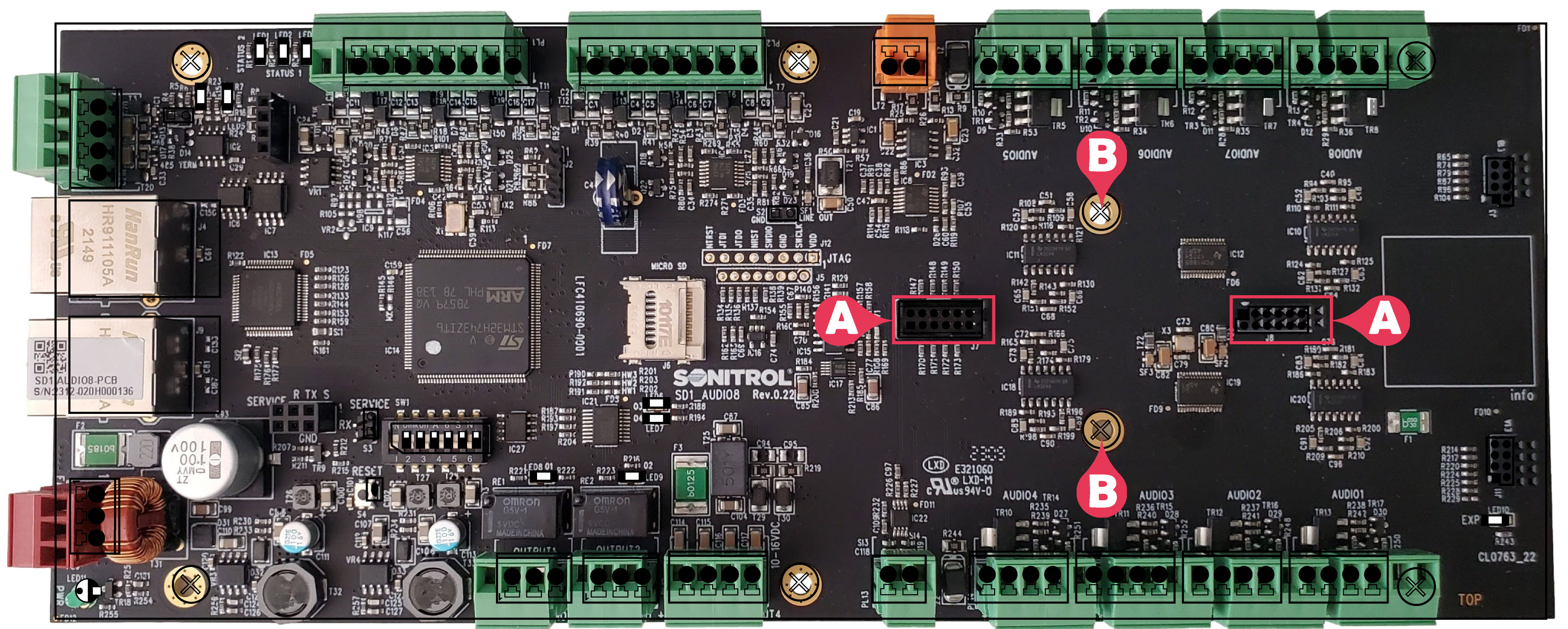
- Screw in the supplied two standoffs at B.
- Place the Audio 8 Sensor Expander Card (with the
-
Use the supplied screws to firmly attach the Audio 8 Sensor Expander Card to the Audio 8 Board.
The Audio 1 slot of the Audio 8 Board will line up in parallel with the Audio 1 slot of the Audio 8 Sensor Expander Card as shown in the image below.
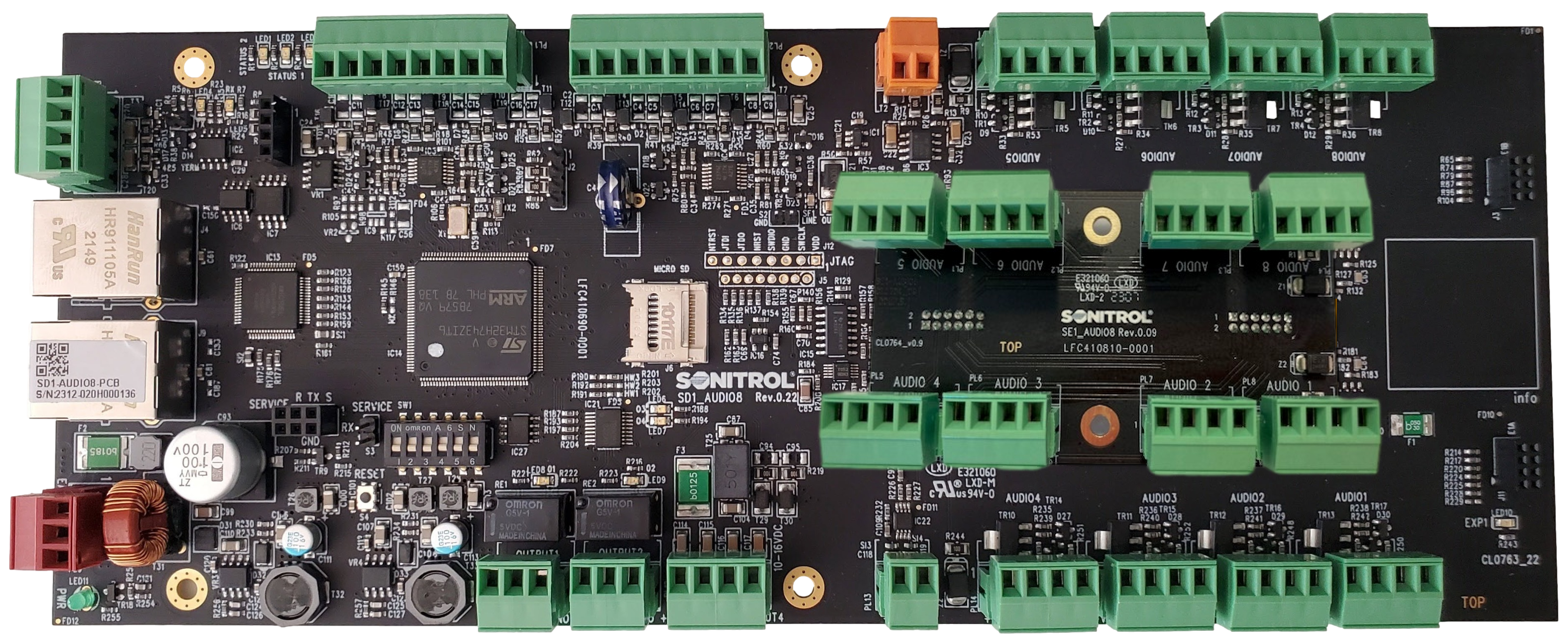
Other supported expansion cards can be added in the position shown in the figure below.
