Getting the Mini Camera Ready for Use
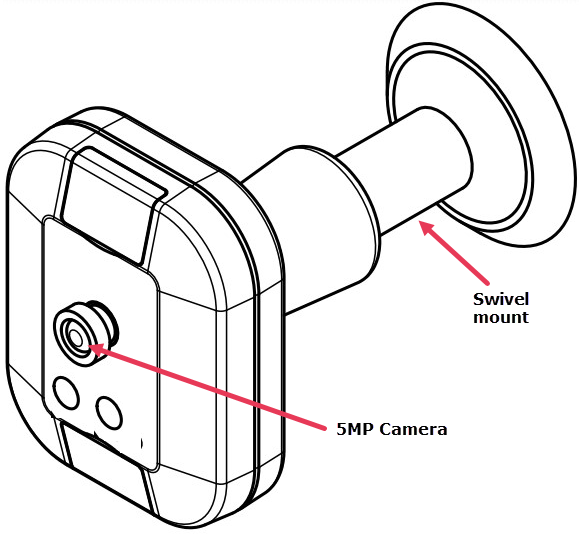
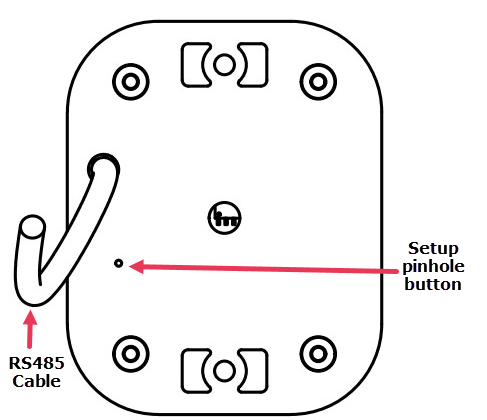

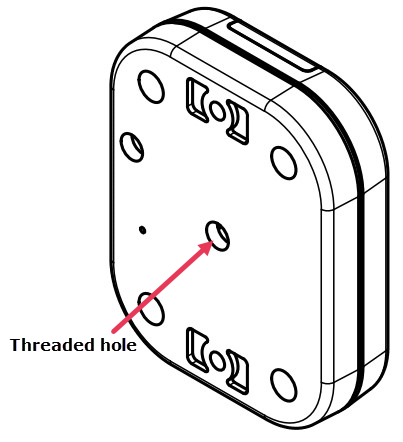
The Mini Camera has a standard ¼ inch (6.4mm) threaded hole on the back for attaching different types of mounts.
To attach the supplied swivel mount:
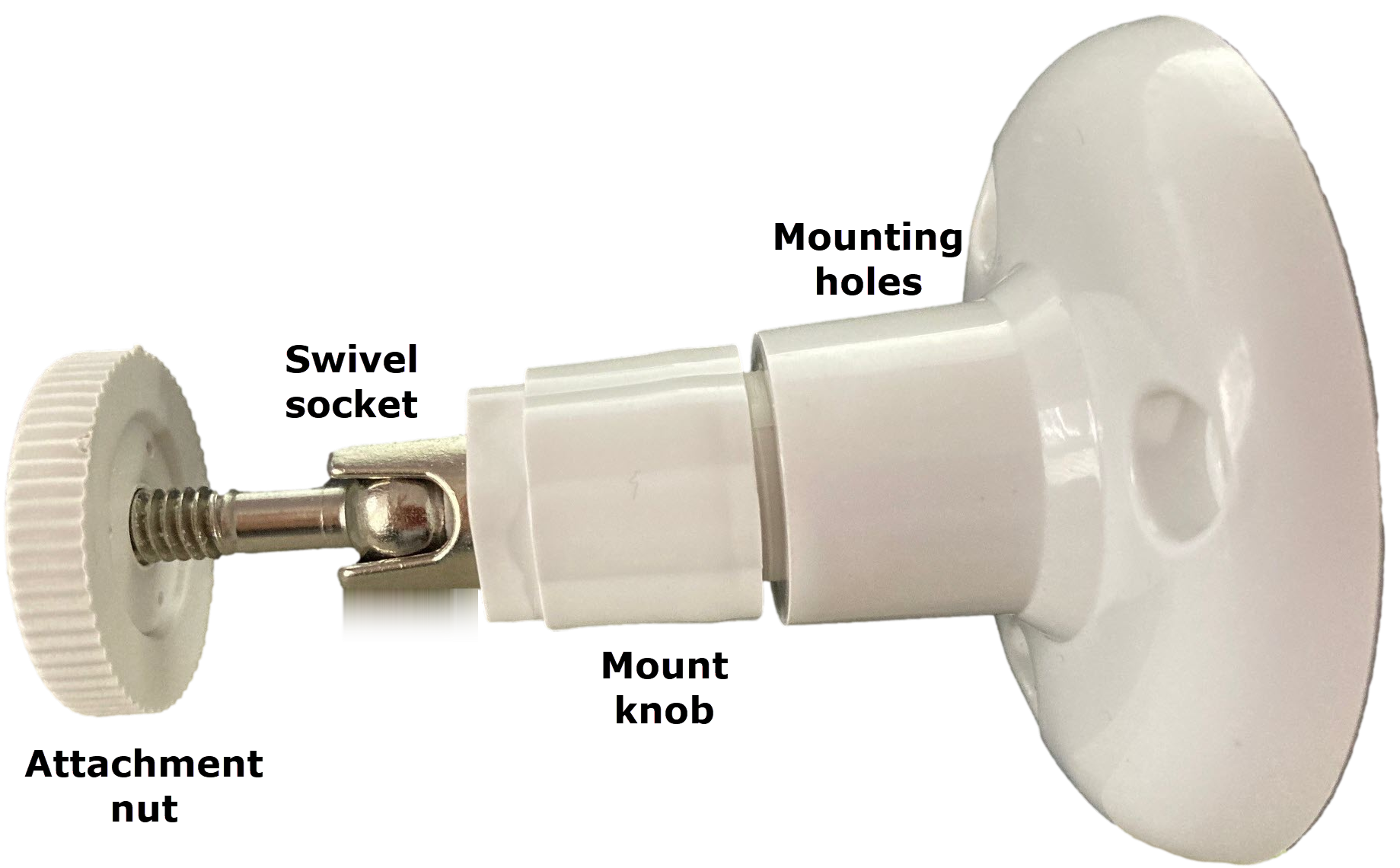
- Unscrew the attachment nut on the swivel mount until some thread is visible on the other side.
- Unscrew the mount knob so that the swivel socket is free to move in different directions.
- Screw the swivel mount to the back of the Mini Camera, then tighten the attachment nut.
Caution:
Do not over tighten the attachment nut as this might damage the mount.
- Adjust the angle of the Mini Camera as needed.
- When in position, tighten the mount knob so that the position of the Mini Camera is fixed.
- If attaching the Mini Camera to a surface, use the supplied screws in the mounting holes, to attach the Mini Camera on the swivel mount to a surface.
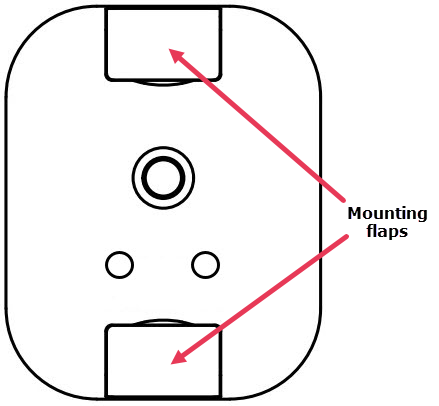
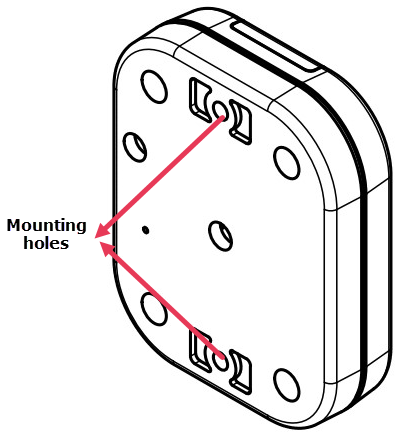
The Mini Camera enclosure has two flaps that open to reveal two mounting holes. Use the mounting holes to attach the Mini Camera to a surface. If using the swivel mount, use the supplied screws to attach the Mini Camera on the swivel mount to a surface.
|
|
|
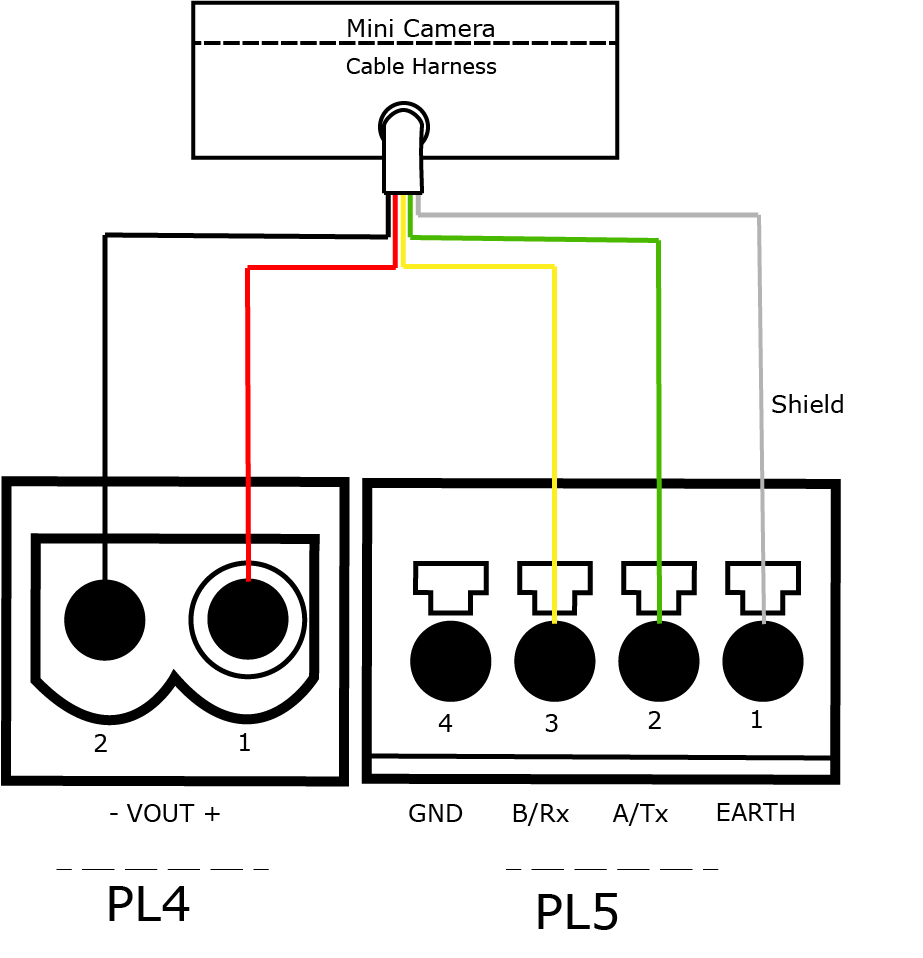
Use a cable harness to connect the Mini Camera. The wires of the cable harness are color coded.
|
Using PL4 and PL5 connections
|
Using PL5 and PL6 connections
|