Setting Up to Trigger Actions
You can map an output to a virtual input on the AXIS Camera. This allows the S1000 to trigger actions in the AXIS Camera when a virtual input is activated.
-
Add an output to Sonitrol CORE.
The Physical ID on Device must match the port number on the AXIS configuration.
- Map this output to a virtual input on the AXIS Camera.
How to set up the AXIS Camera App
- Go to the AXIS Camera configuration URL.
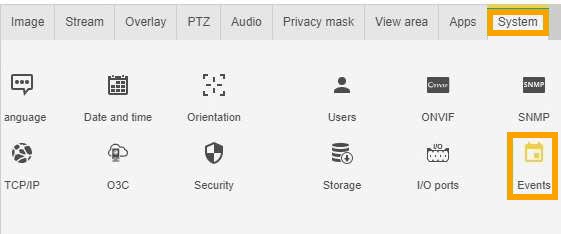
- Click the System tab.
-
Click the Events option.
-
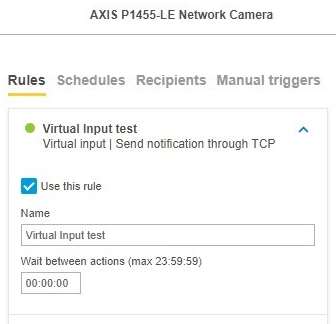
Create or change a Rules Profile.
Select the Virtual Input profile.
-
Select the Condition and Action based on your requirements.
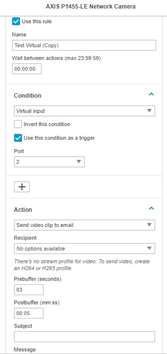
The Port number must match the Physical ID on Device entered in Sonitrol CORE for the output.
- Click Save.