LED Indicators
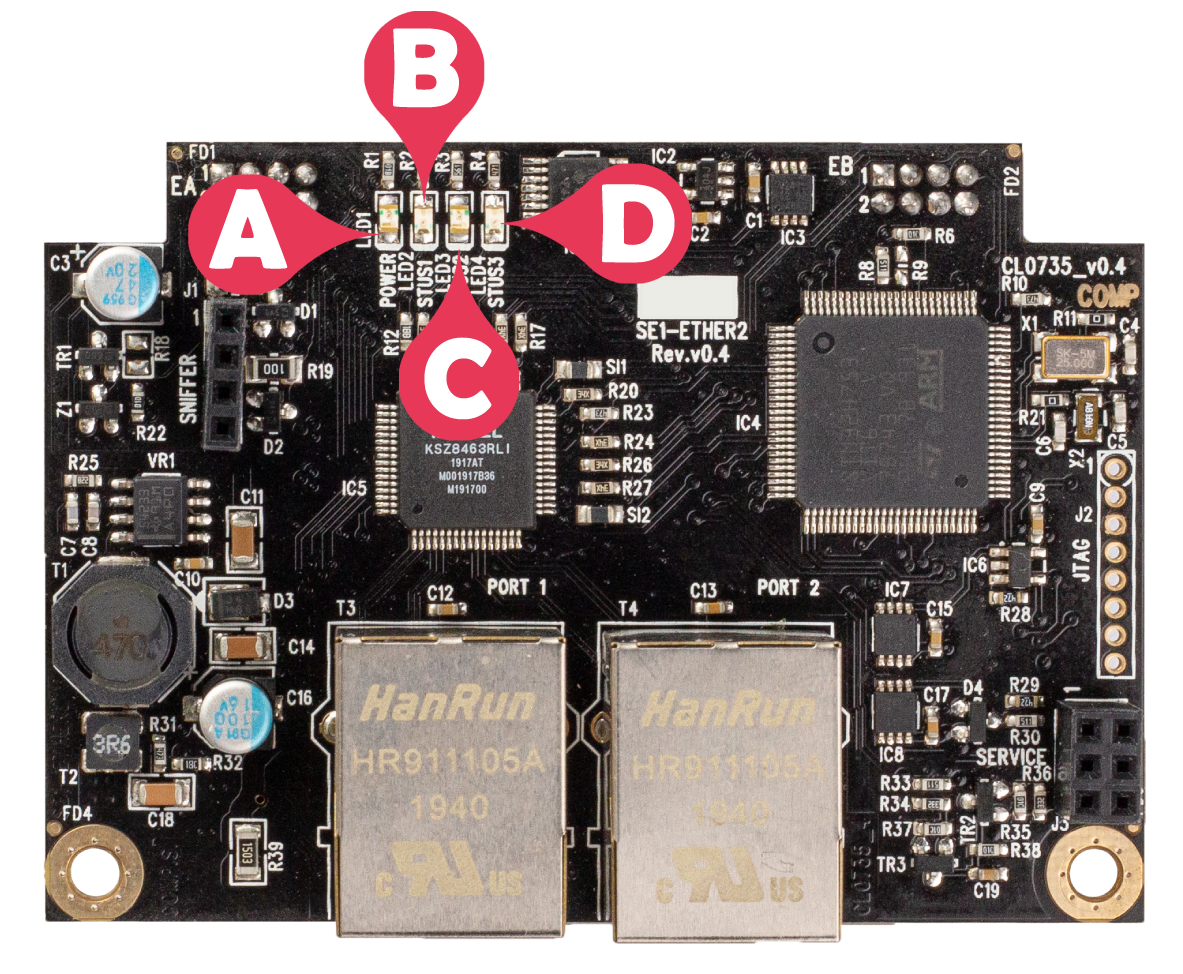
|
Label # |
Indicator |
Name |
State and description |
|---|---|---|---|
|
A |
LED1 |
Power supply input present |
ON Green indicates that power is available OFF indicates that power is shut down |
|
B |
LED2 |
Status 1 |
ON indicates that the Ethernet port is connected Flashing slowly indicates that the Ethernet port is connecting Flashing fast indicates that the Ethernet port is searching for the MAC address OFF indicates that the Ethernet port is not configured |
|
C |
LED3 |
Status 2 |
ON indicates that an error has been detected on the card OFF indicates that no error has been detected on the card |
|
D |
LED4 |
Status 3 |
ON indicates that the processor is running OFF indicates that the processor is disabled |