Connecting the HikVision Face Reader
- Power on the HikVision Face Reader.
-
Set the default administrator password.
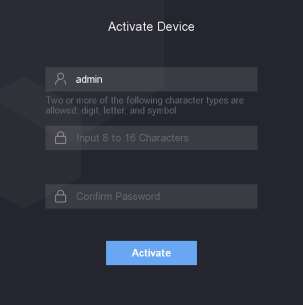
- Tap Activate.
-
Tap the Comm option on the menu.
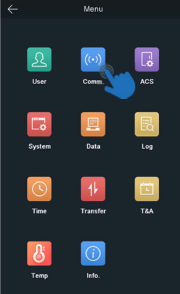
-
Enter a unique IP address.
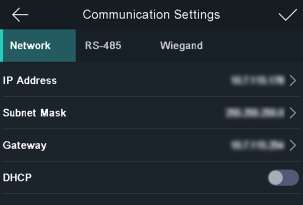
-
Set a static IP address on the router with the same IP address as the device.
Tip: Reserve this IP address if using a router.