Wiring
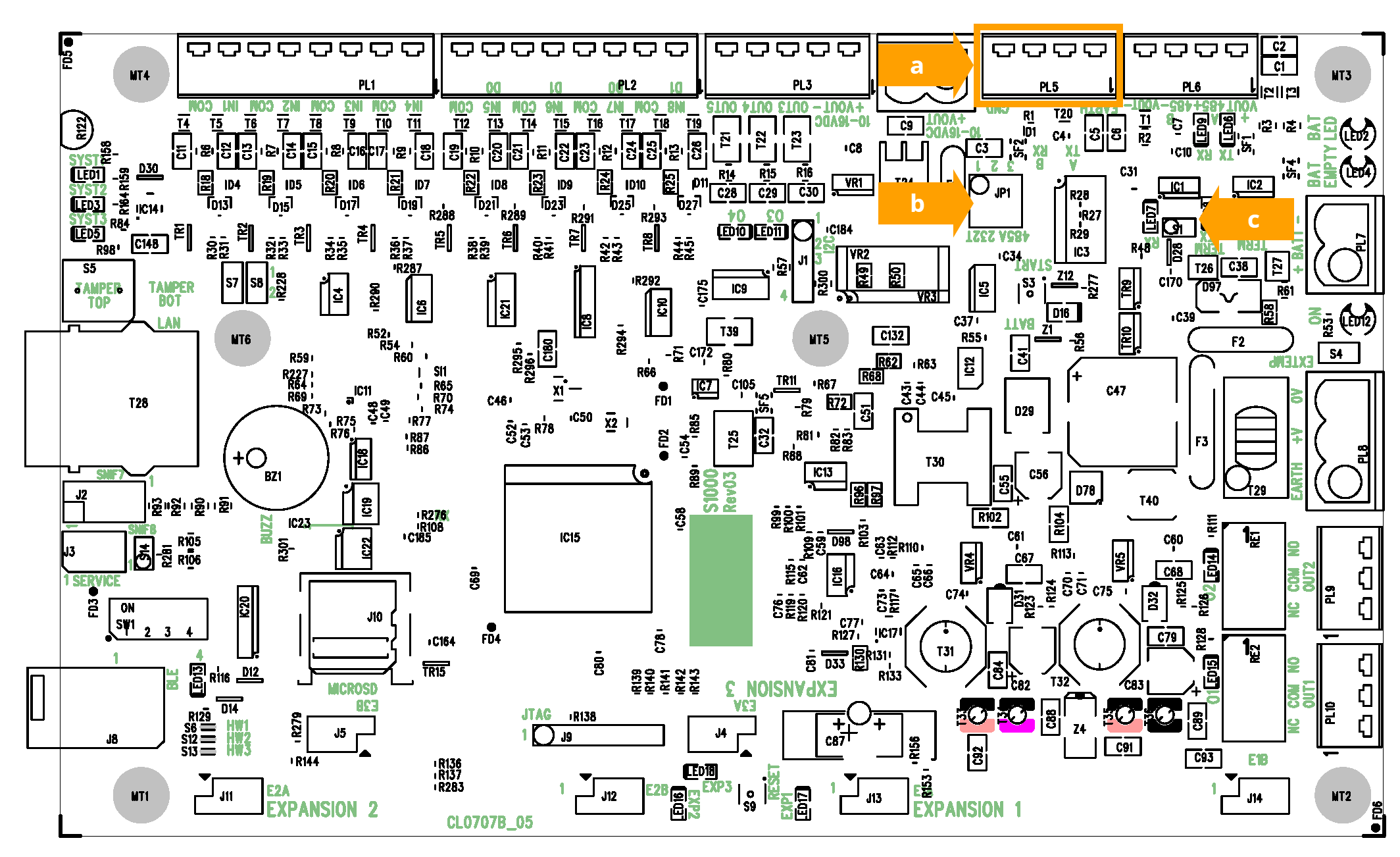
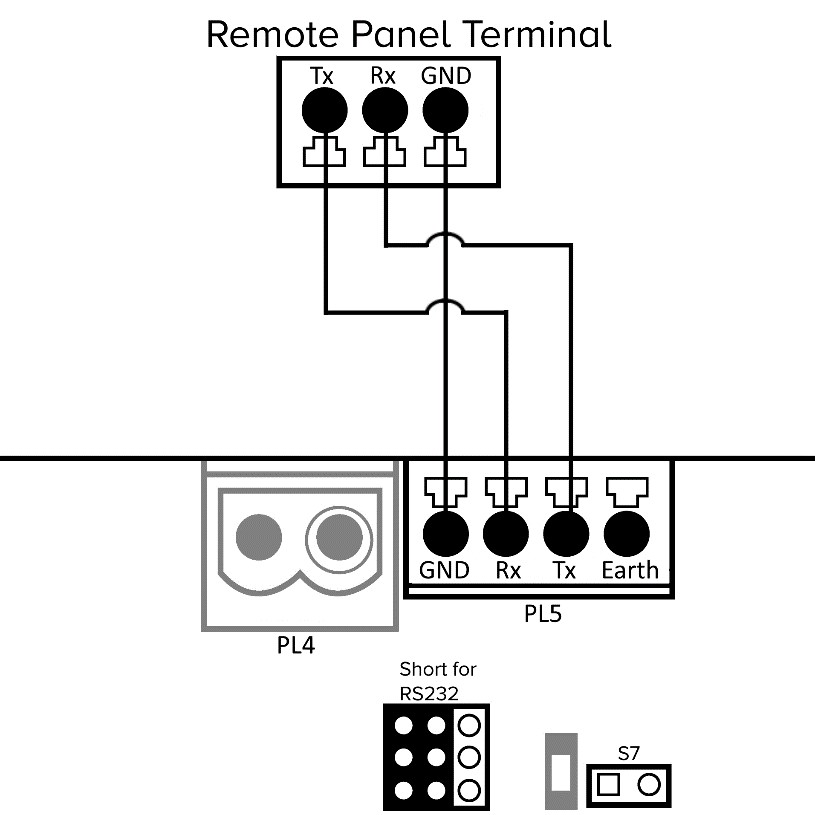
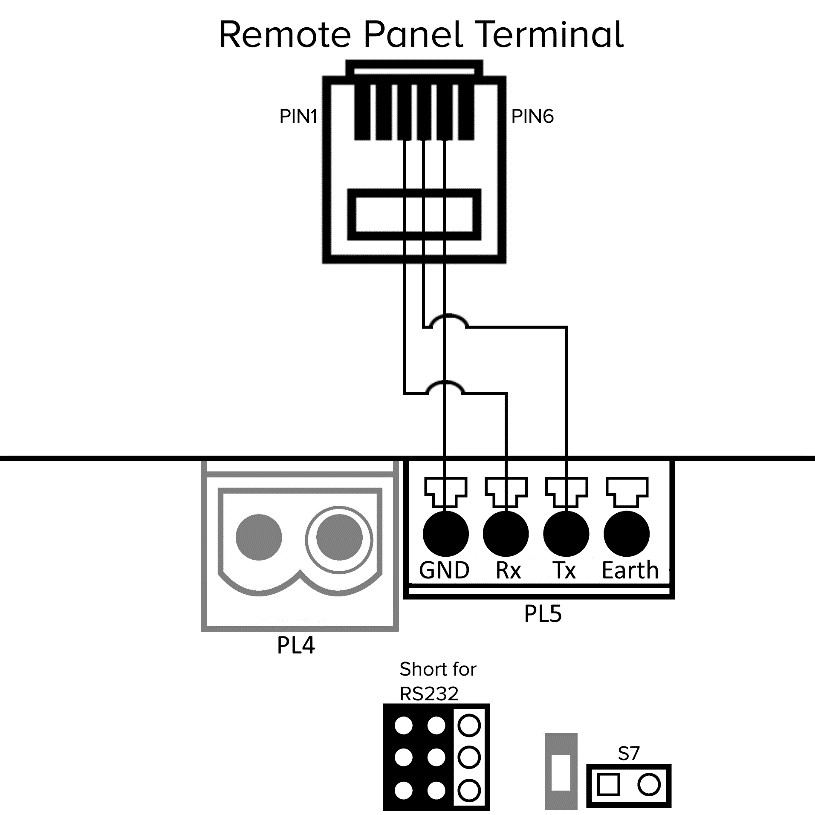
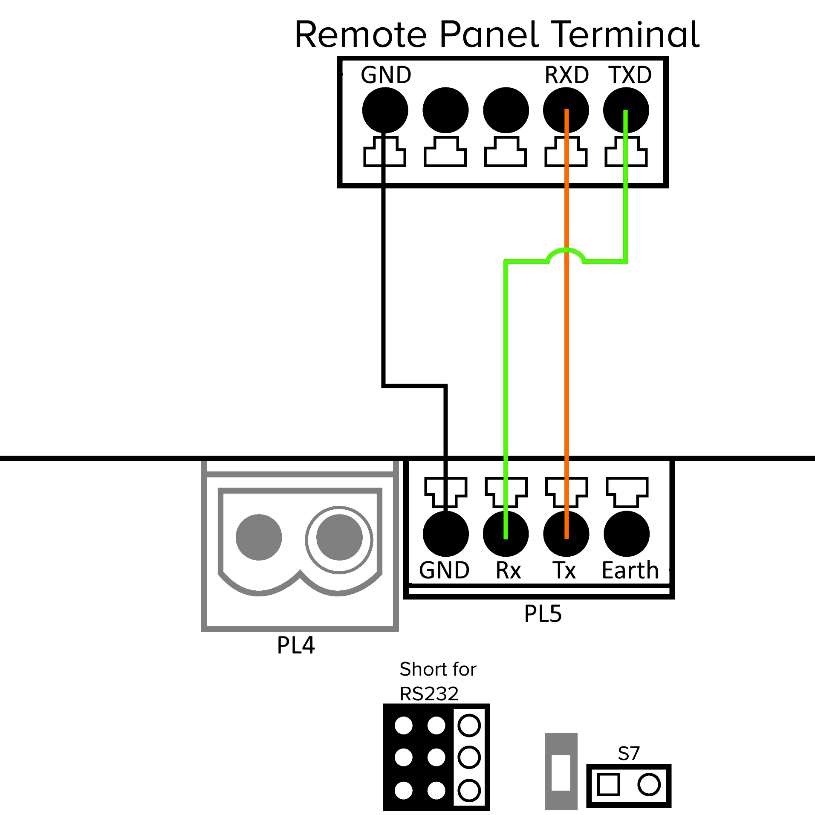
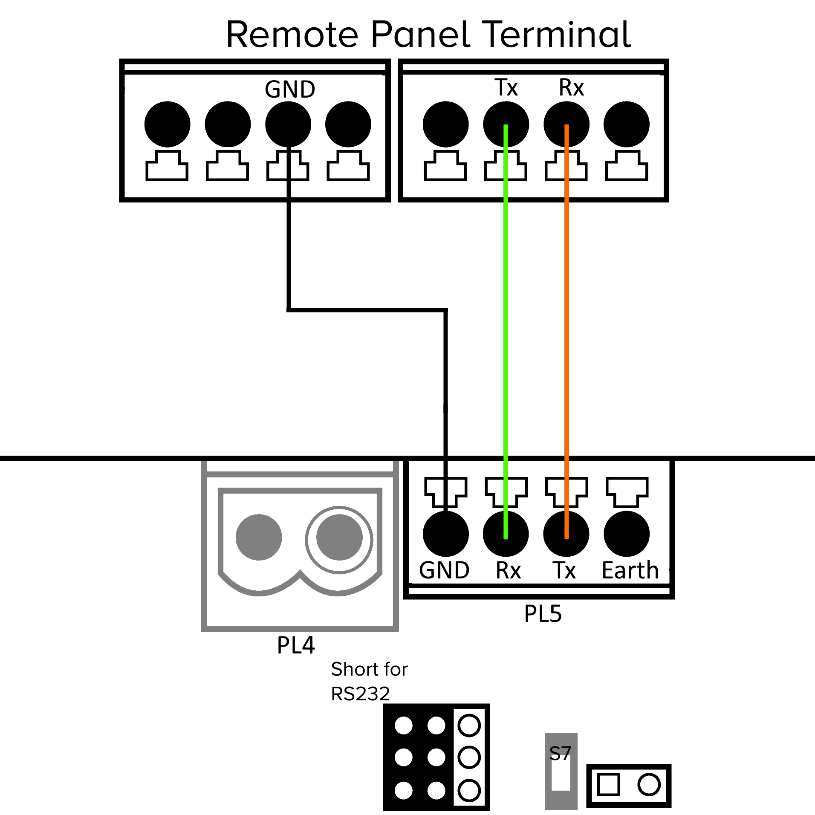
Third party remote panels can be directly connected to the RS232 connector (otherwise used as the isolated RS485 bus) on the S1000 Controller.
The following wiring diagram applies to all supported third party alarm panels.
|
Label # |
Description |
|---|---|
|
a |
Wiring can use the PL5 connection with standard connections. |
|
b |
Set the jumper settings to enable the RS232 signal. |
|
c |
Open the S7: Termination Link for port PL5. |
Note: For the RS232 connection from the S1000 to the third party control panel and the network connection from the S1000 to Sonitrol CORE, the cable must be less than 30m (98ft) in length.
Honeywell panel programming for serial connection (RS232) (non-UL verified)
Copy
Engineer Menu 56
Menu 6 – Int RS232 1
Select Mode – Direct
Select Format SIA
Enter SIA (Option 2)
Select SIA level 3 or 4
Ensure Trigger 10 and Trigger 18 are set to ON, Activate any further triggers
which are required
Enter Account number (Chip ID) NOTE MOST BE SET FOR CORRECT OPERATION ID isn’t
used by S1000
Select Comms Setup
Enter Baud Rate – to match the S1000 (i.e. 38400), Bits 8, Stop bits 1, No Parity
Escape to return to Engineering mode