MENC S1000 Install Instructions
Warning: Disconnect power from the system prior to installation or service.
Caution: Installation must comply in accordance with National Electrical Code (ANSI/NFPA70) or Canadian Electrical Code (as applicable) and must only be performed by personnel trained in intrinsically safe systems. Improper installation may result in serious injury or damage.
Before installing, read and understand these instructions completely.
Déconnectez l'alimentation du système avant l'installation ou l'entretien.
L'installation doit être en conformité avec le Code National d'Electricité (ANSI/NFPA70) ou le Code Electrique Canadien (selon celui qui est applicable) et devrait être réalisée uniquement par un personnel formé dans des systèmes intrinsèquement sécurisés. Une mauvaise installation pourrait entraîner des blessures et des dommages sérieux.
Avant l'installation, lisez et comprenez complètement ces instructions.
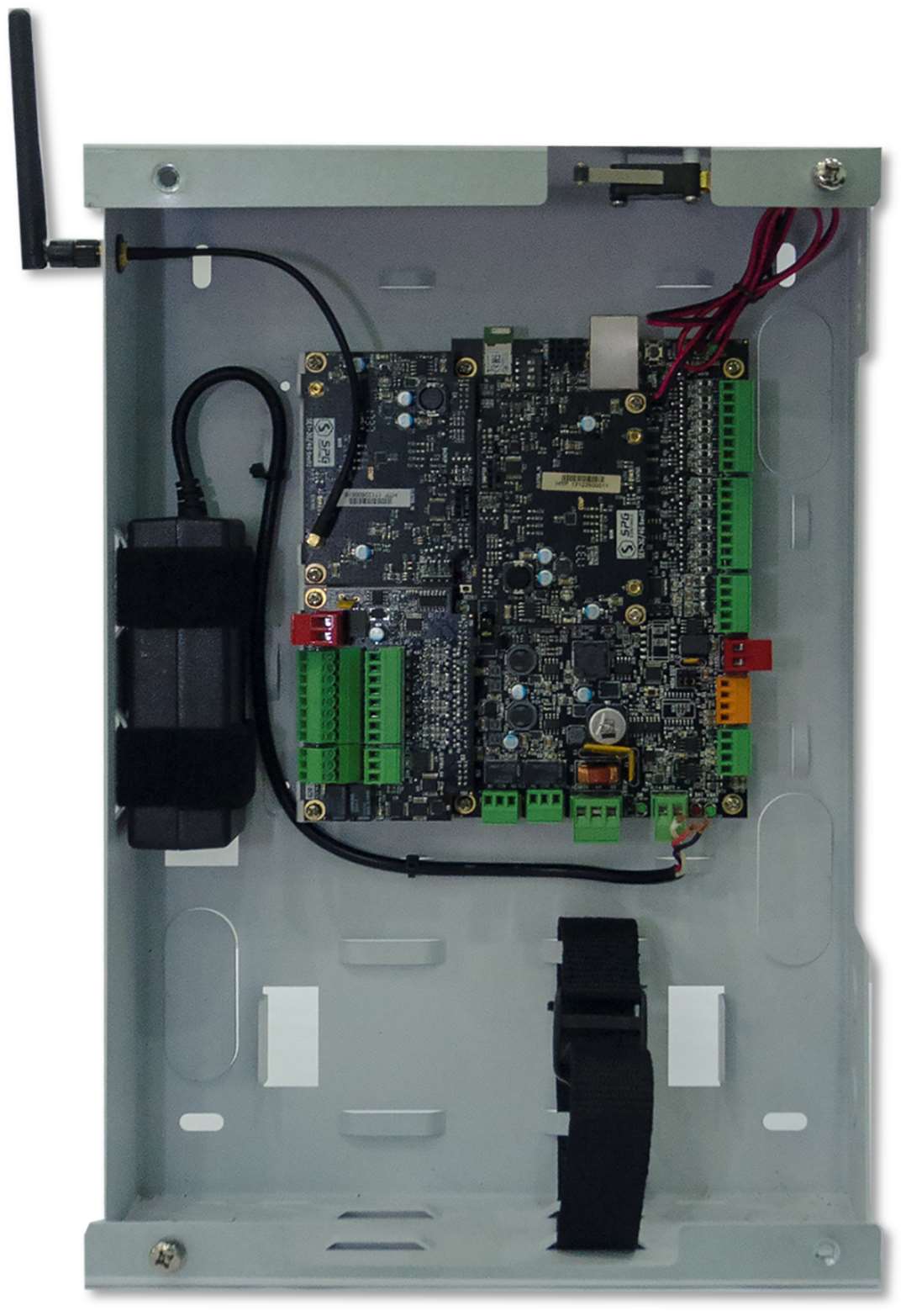
The following images shows an S1000 Controller mounted in an MENC enclosure with expansion cards and a cellular modem.

- Unpack all supplied components and inspect each for defects or damage that may have occurred during transit.
- Check that the correct components have been supplied based on the order and/or packing slip.
-
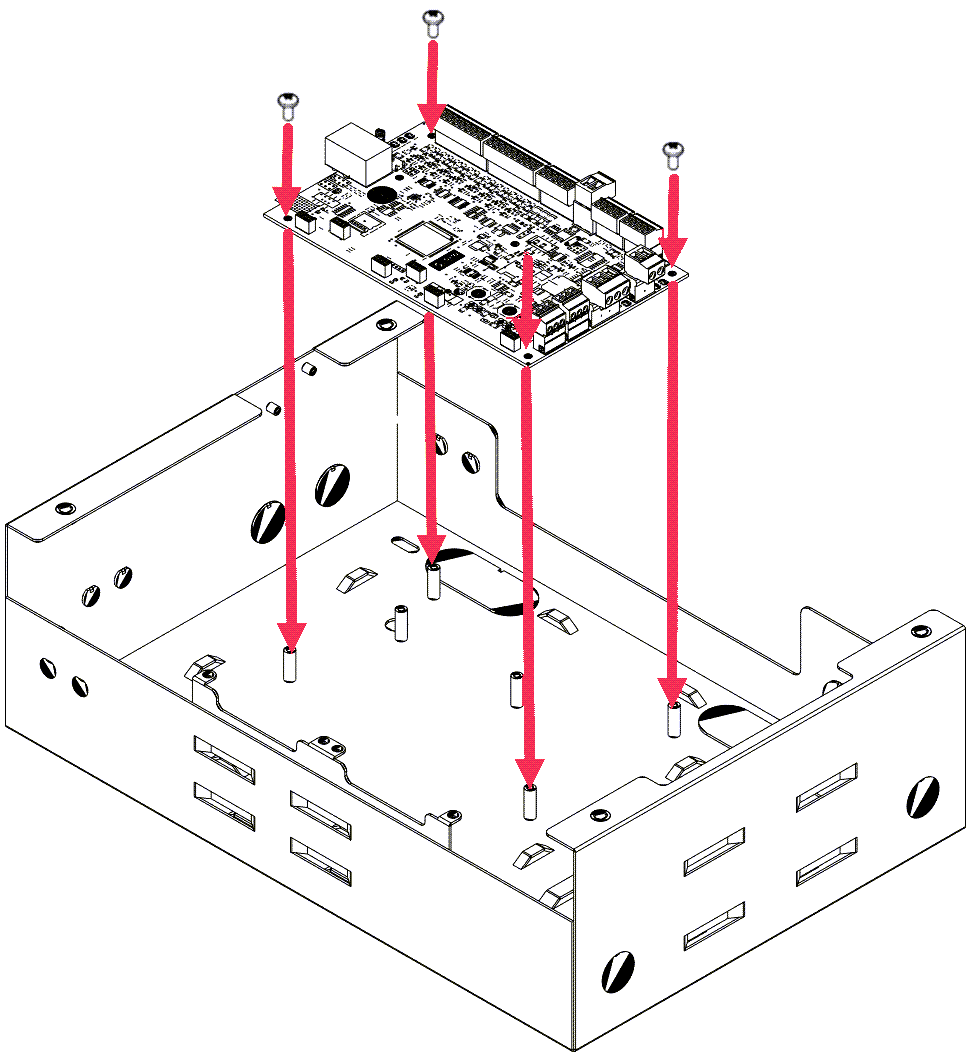
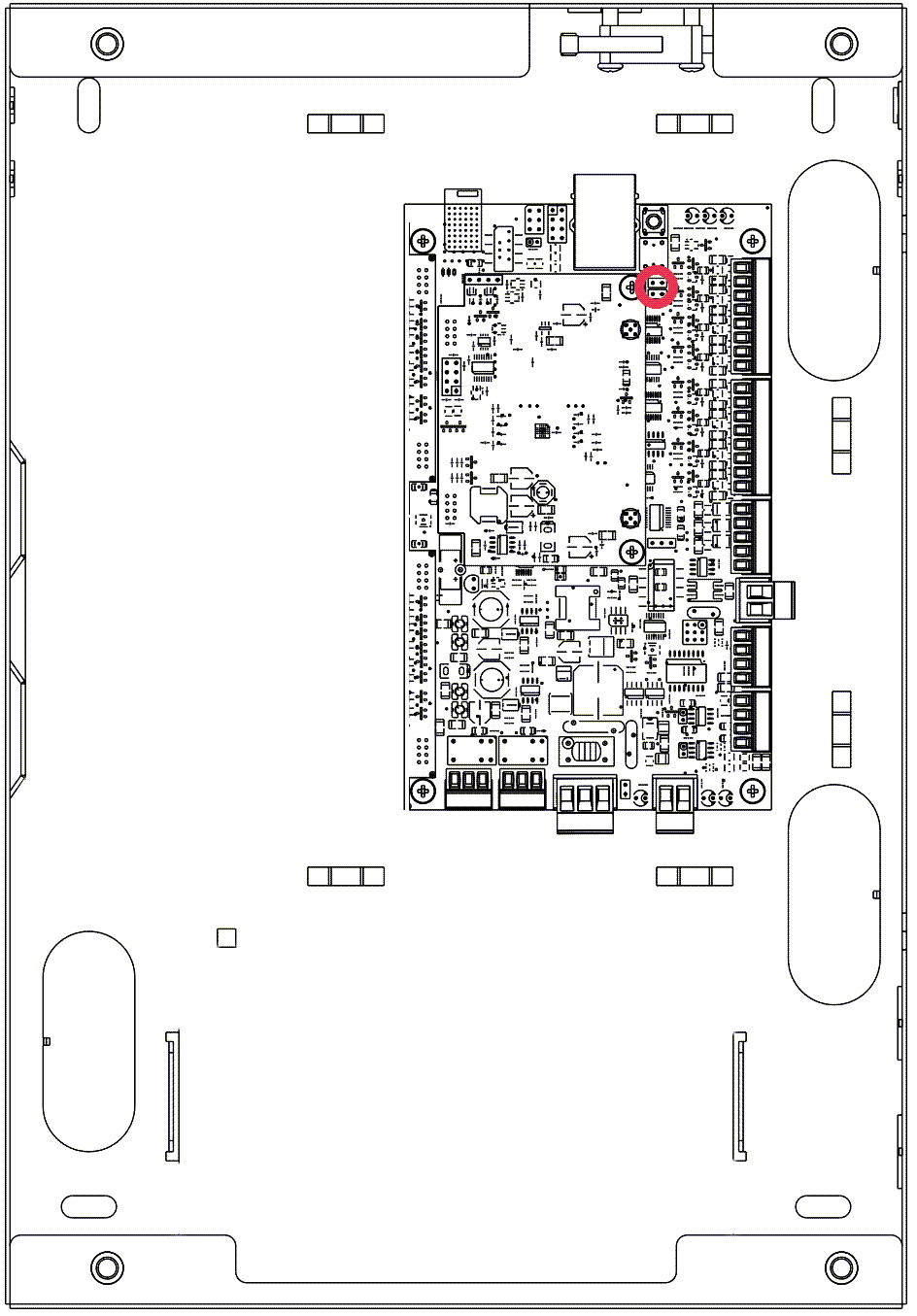
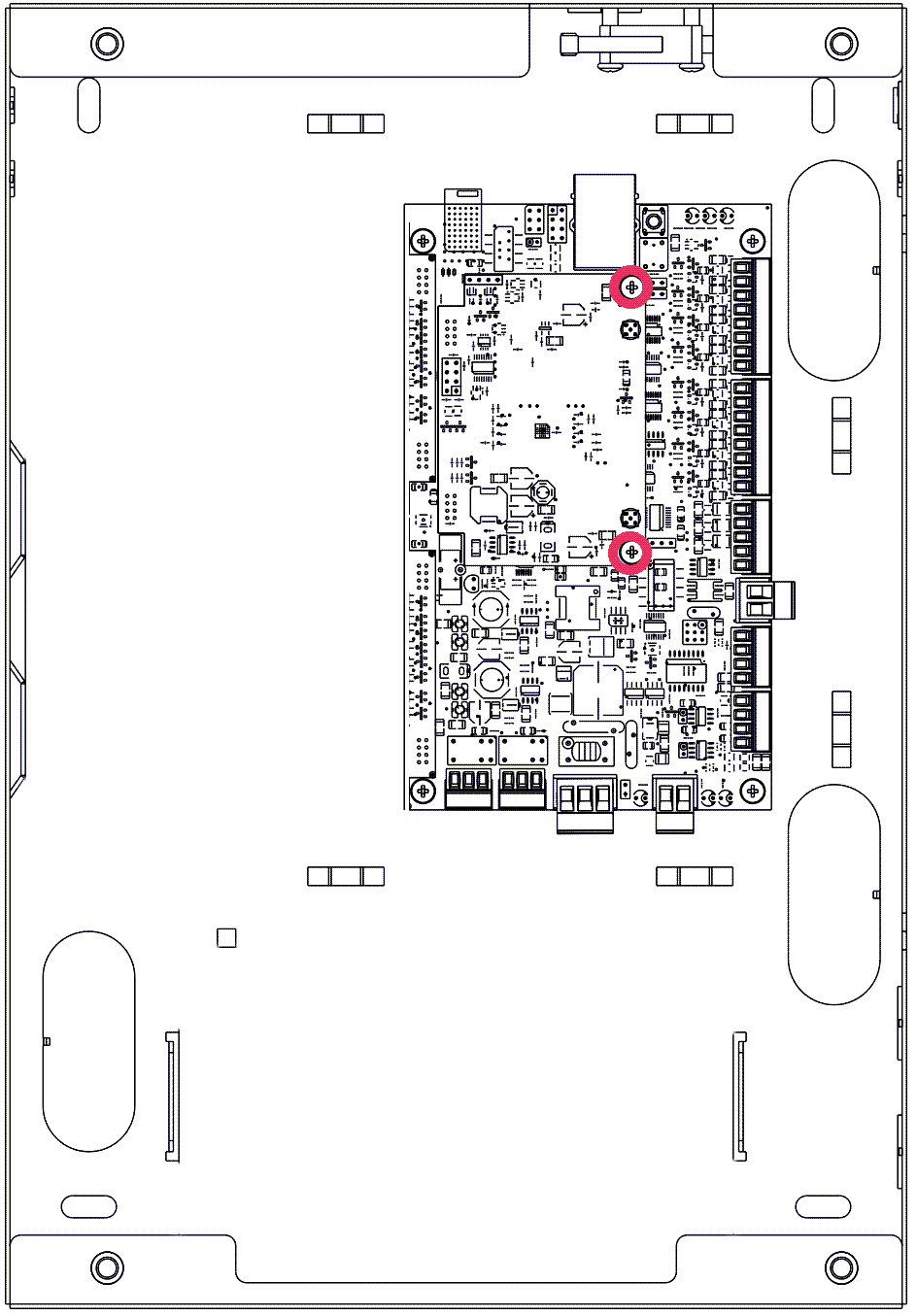
Align the S1000 Controller with the mounting posts on the large or small enclosure.
-
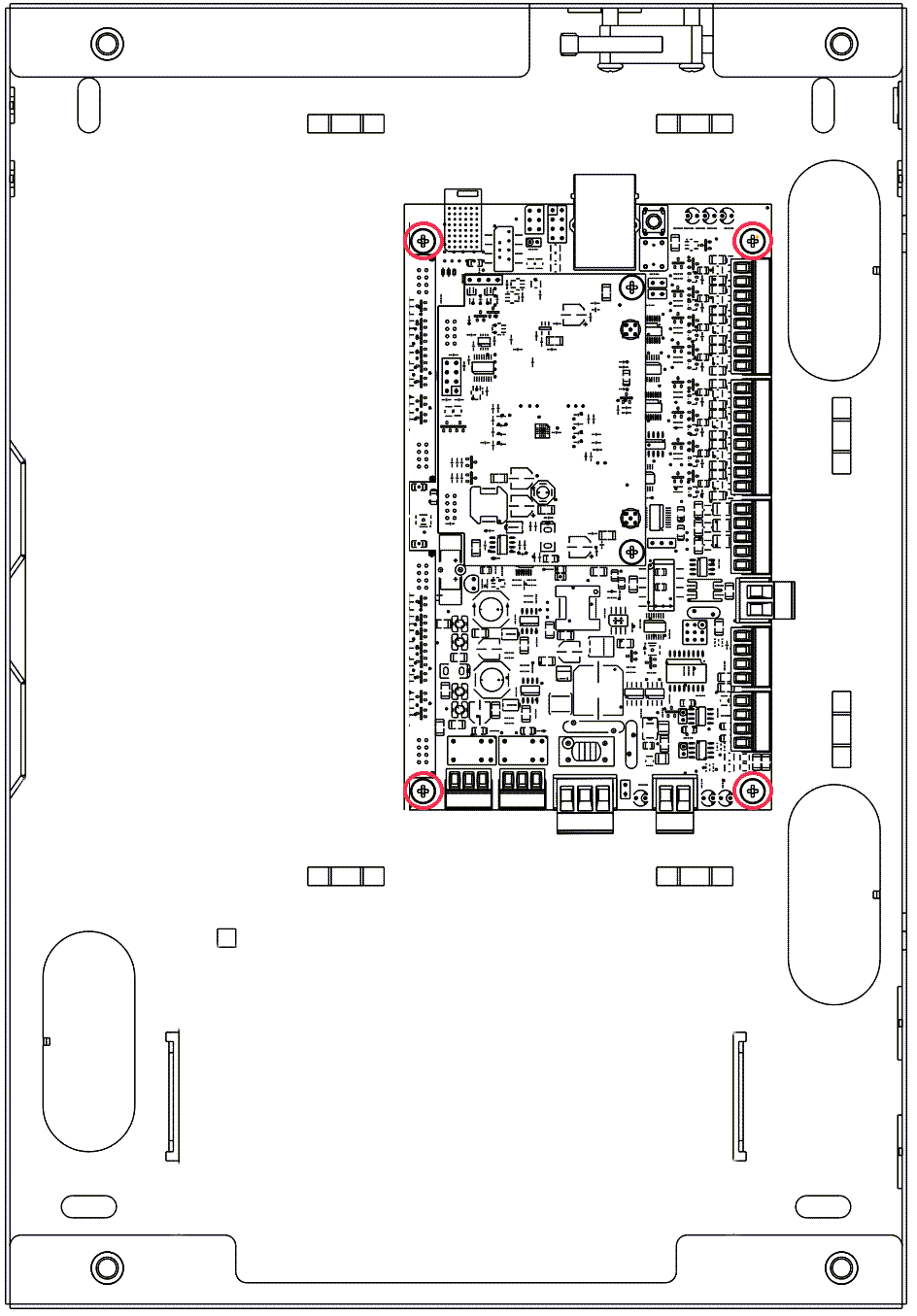
Use 4 M3 screws at the corners to mount the S1000 in the enclosure.
-
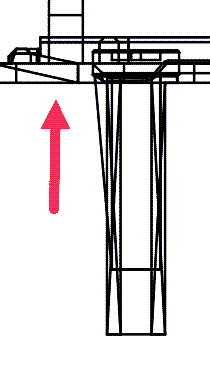
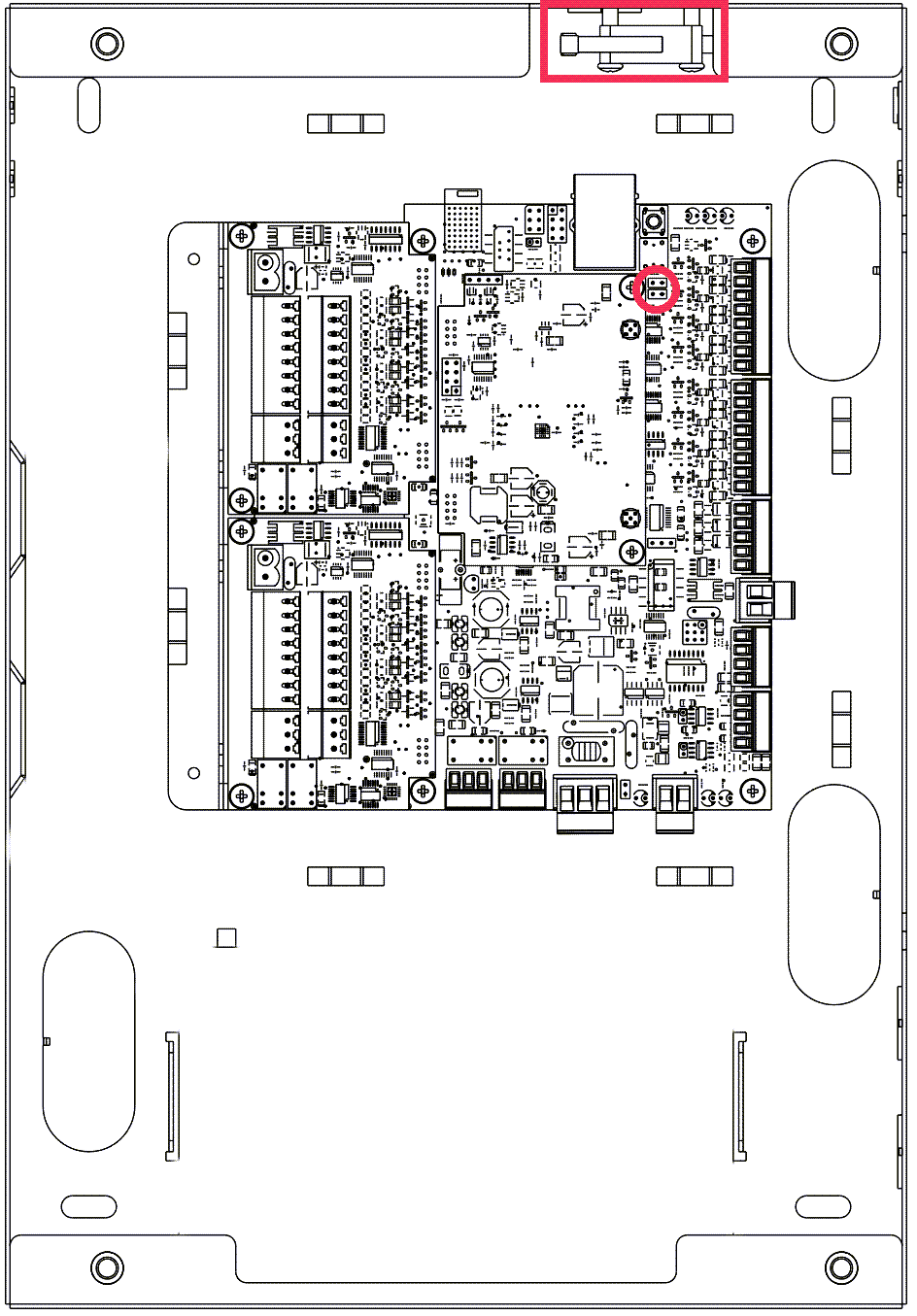
Make sure that the wall tamper button under the S1000 is in contact with the back of the enclosure.
Use the provide extension spring, if needed.
-
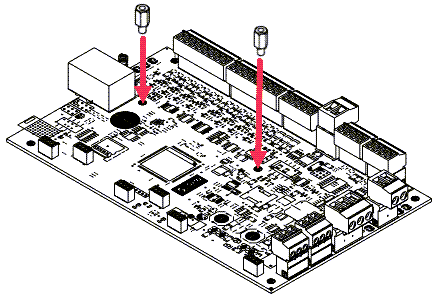
Install 2 M3 hex bolts for the addition of expansion modules.
-
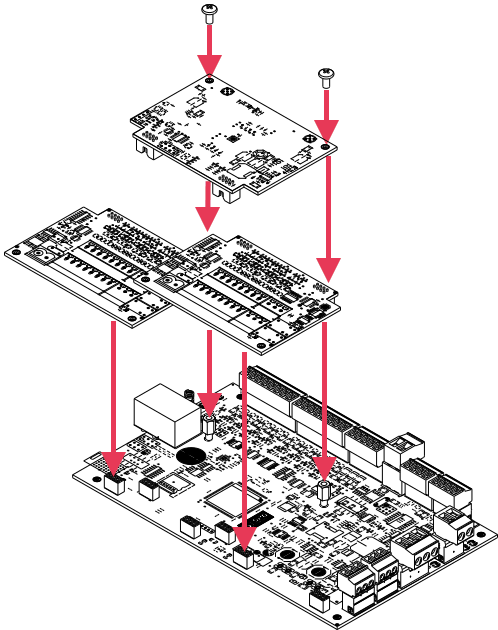
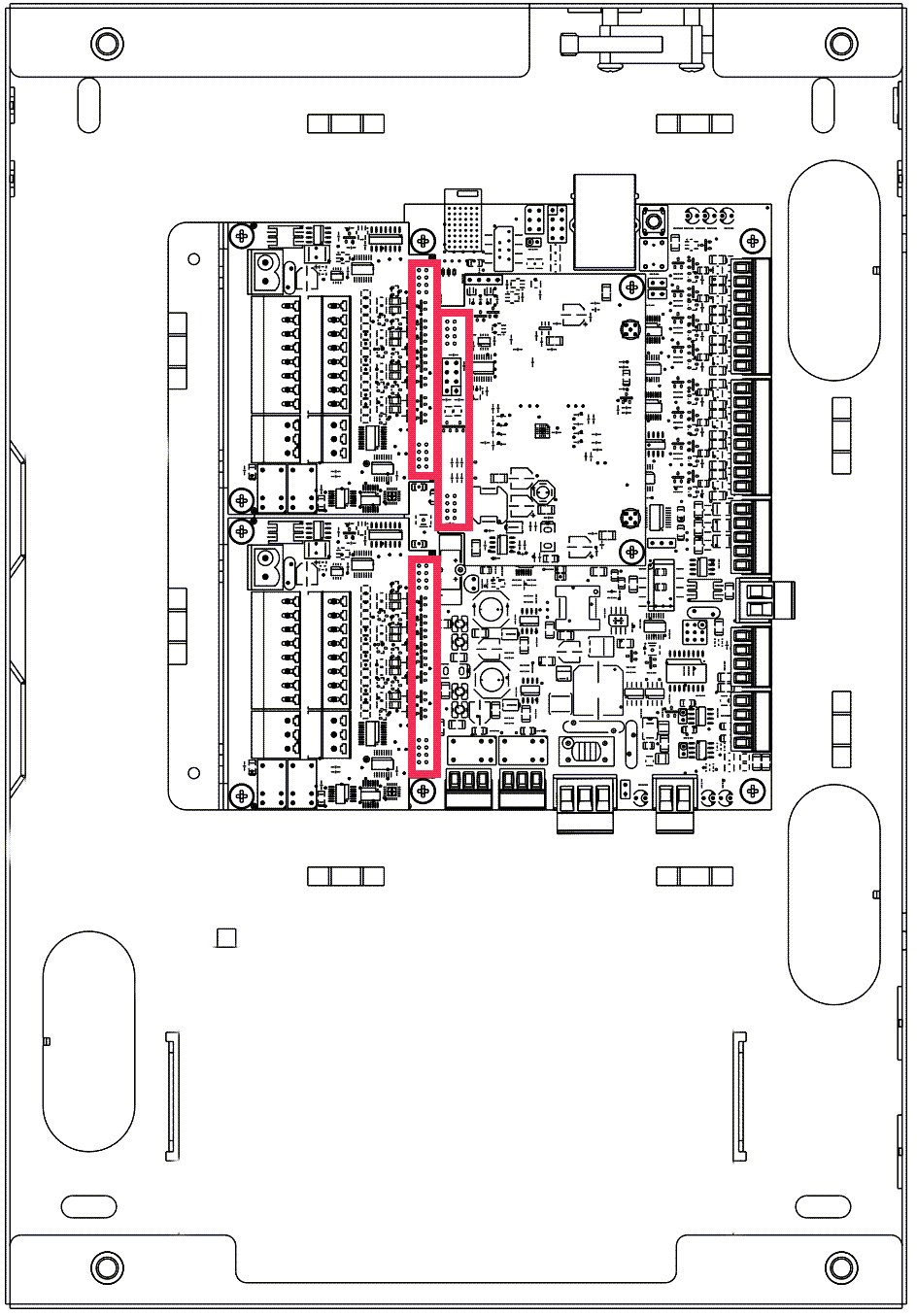
Mount an expansion card on any of the 3 expansion module sockets.
-
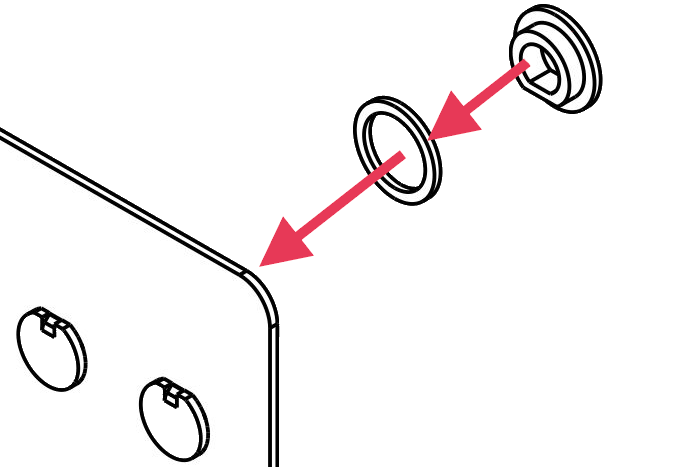
If installing a cellular expansion card, install the SMA connector on the supplied antenna cable using the Pingwood plastic washers supplied in the accessory bag.
They should be installed on either side of the enclosure wall, making sure that the SMA connector is electrically isolated from the metal of the enclosure.
-
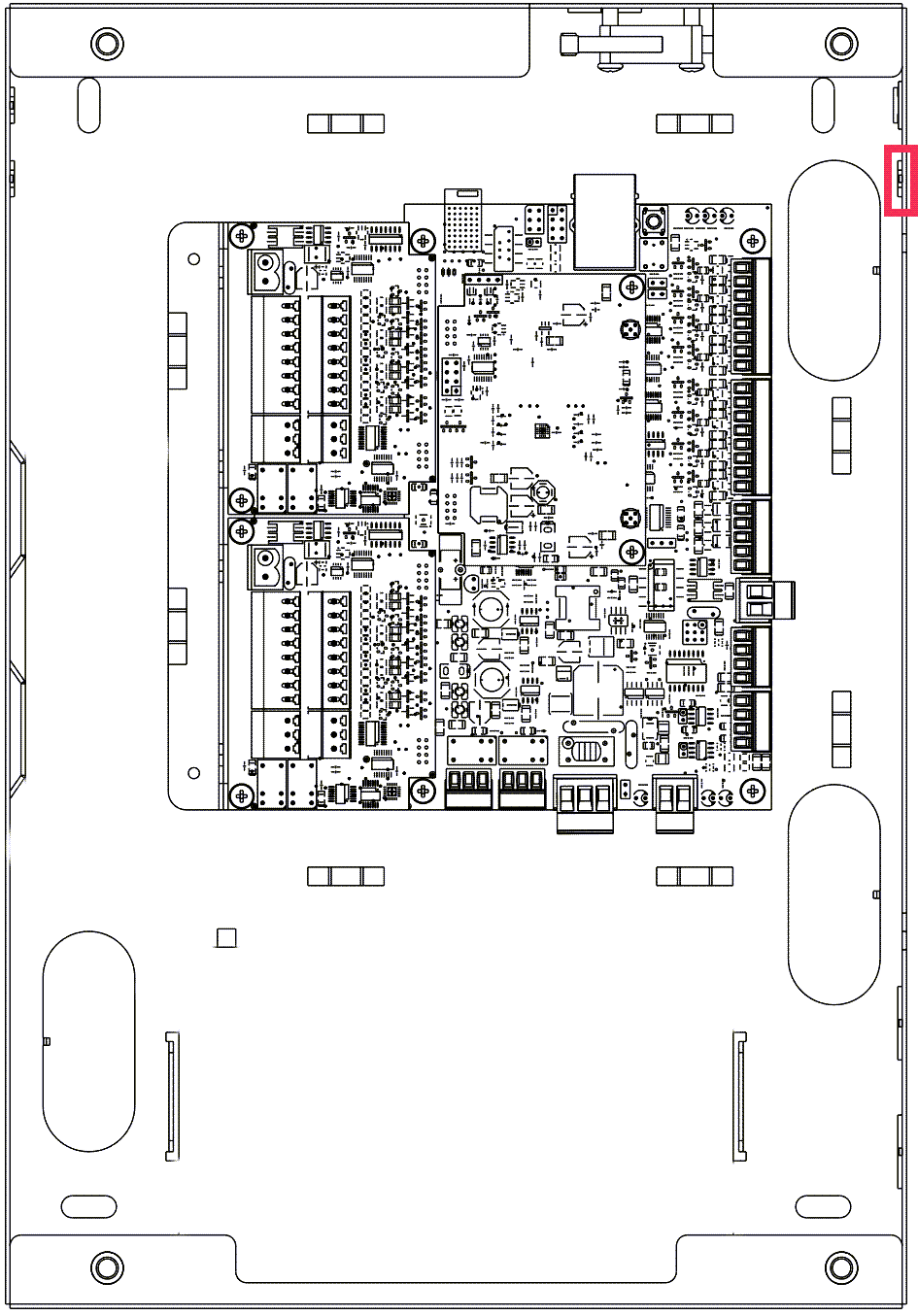
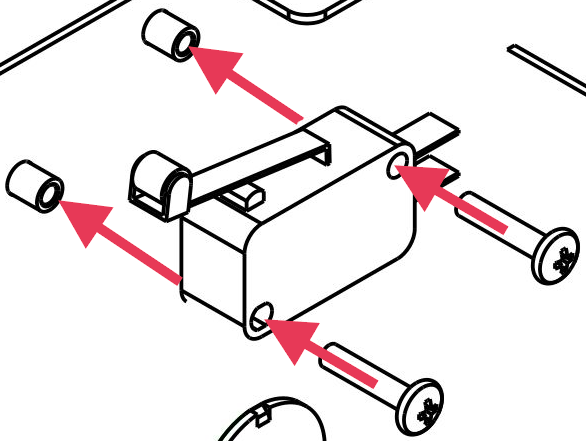
Install the cover tamper switch on the enclosure wall and connect the cable assembly to the 2-pin headers at S7 on the S1000 Controller.
-
Connect the various alarm inputs to the 8-pin connections at PL1 and PL2 on the S1000 Controller.
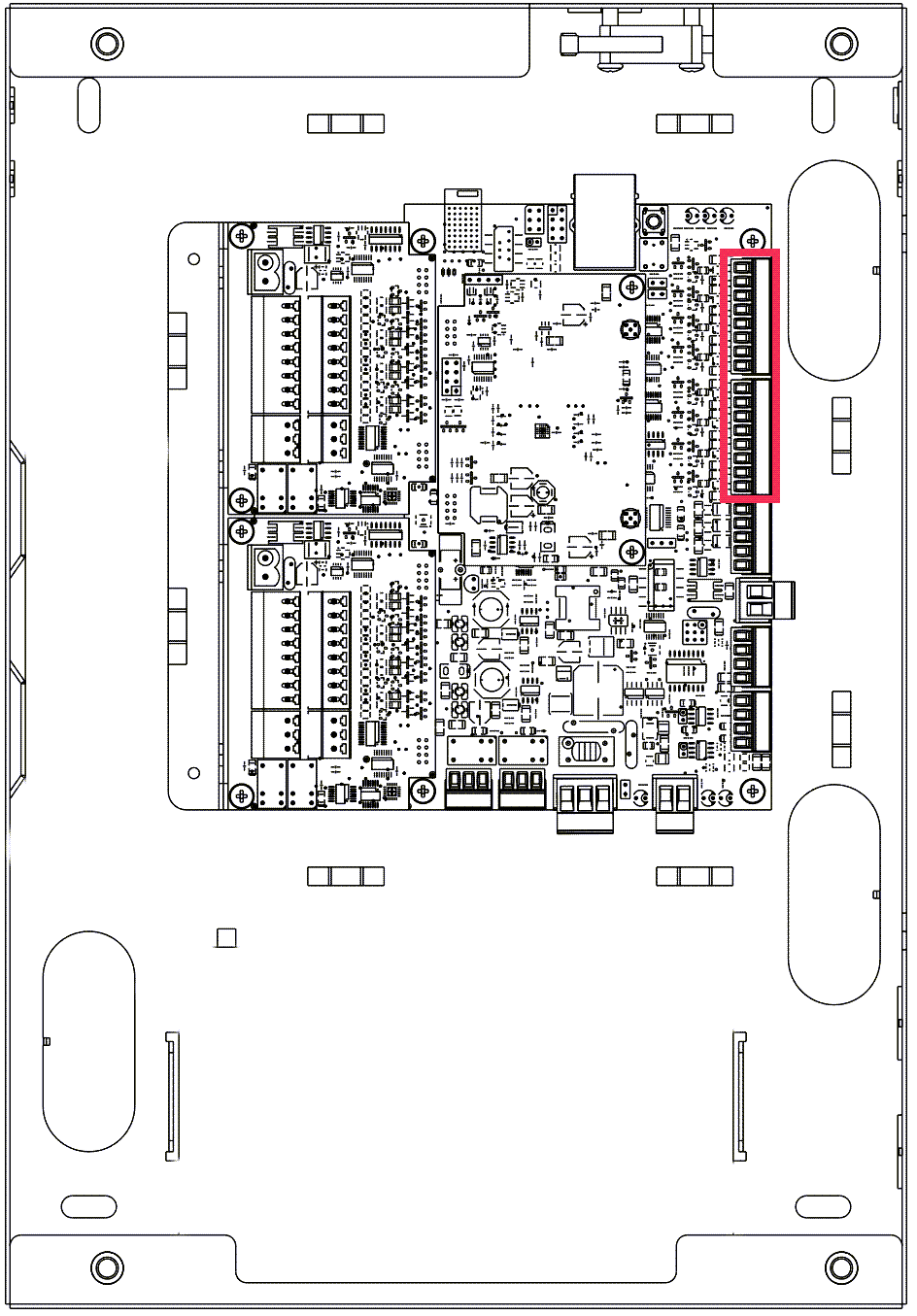
The S1000 Controller enables you to customize your system using configurable alarm, access control and building monitoring data input.
-
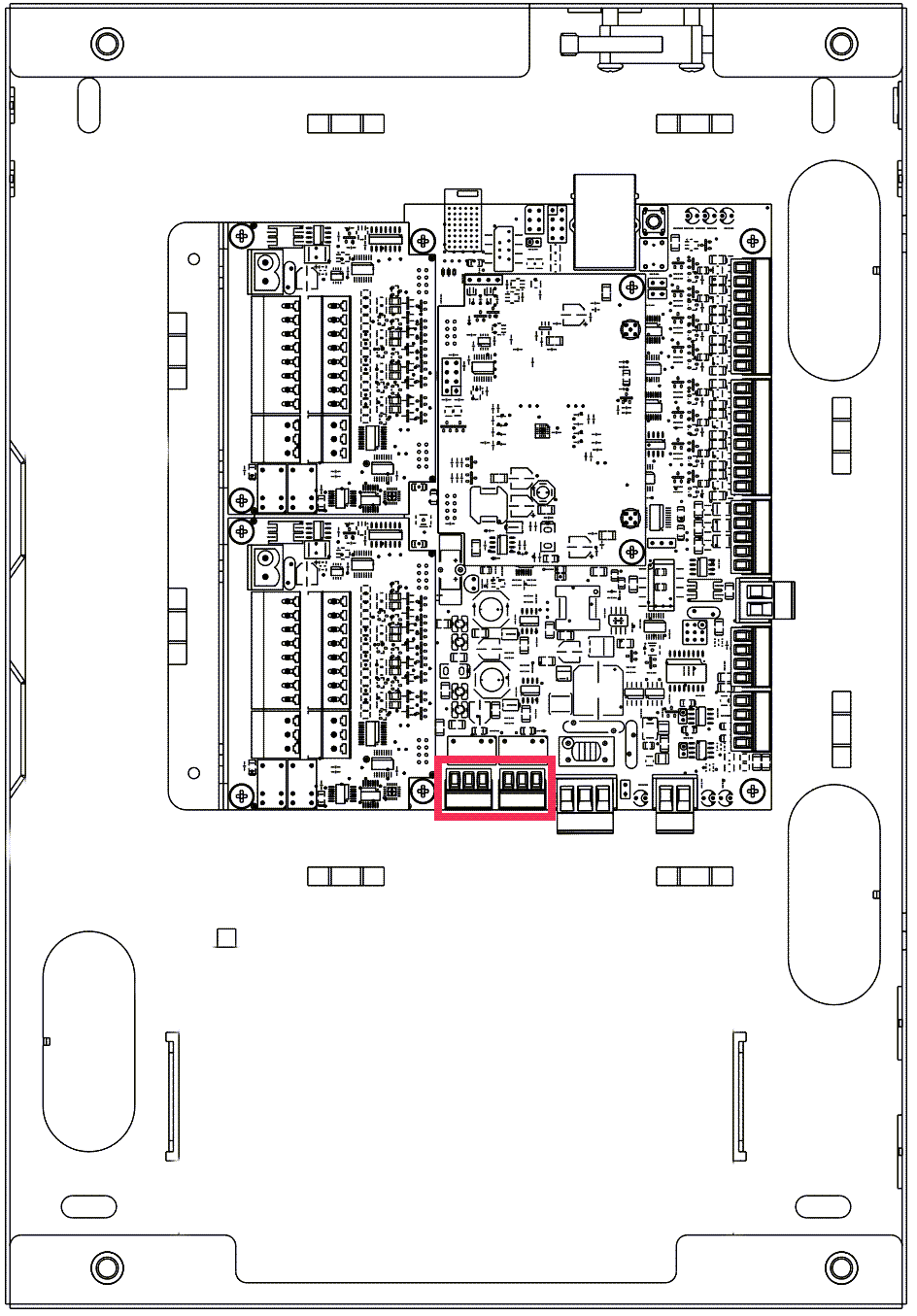
Connect relay outputs 1 and 3 on the 3-pin connectors at PL10 and PL9, respectively, to devices that are to be controlled by Relay outputs 1 and 2.
The relay pins NC, C and NO on connectors at PL10 and PL9, connect them as needed.
-
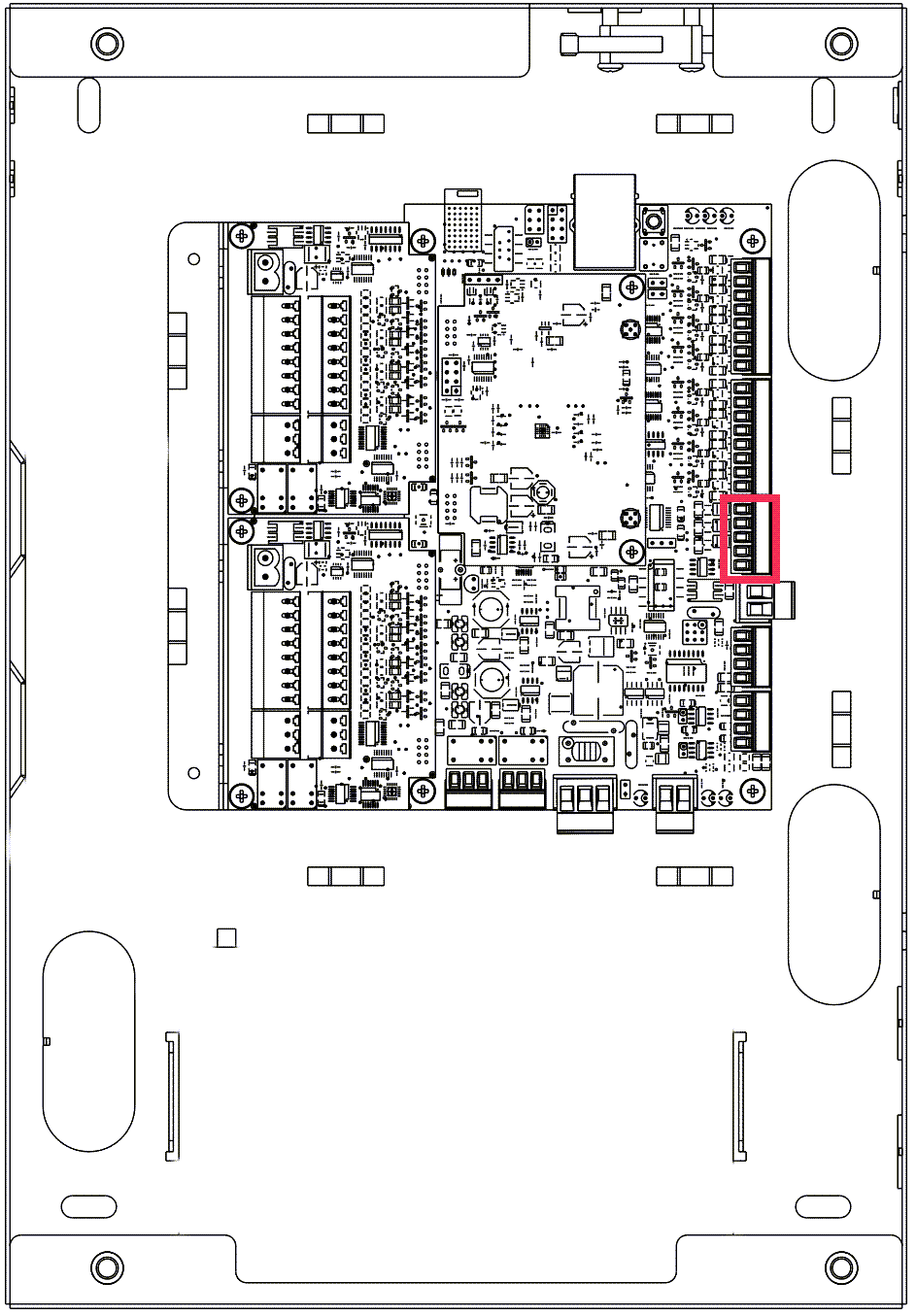
Connect the open connector (outputs 3 to 5) on the 5-pin connection at PL3, as needed.
-
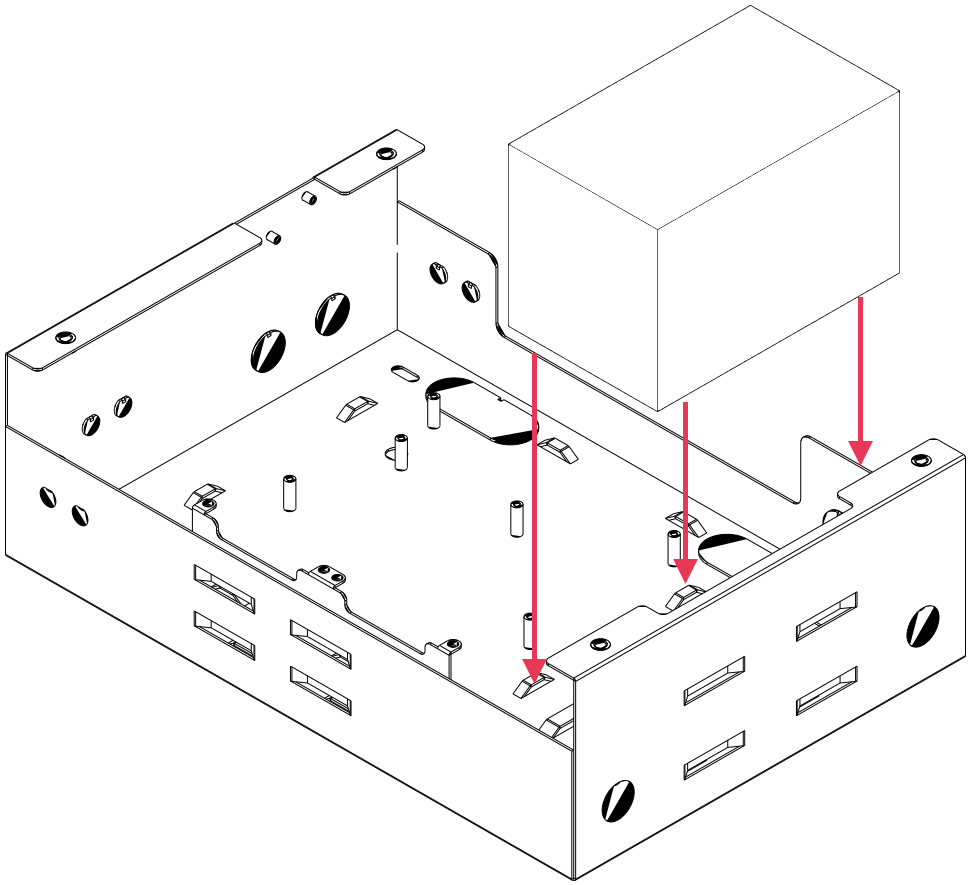
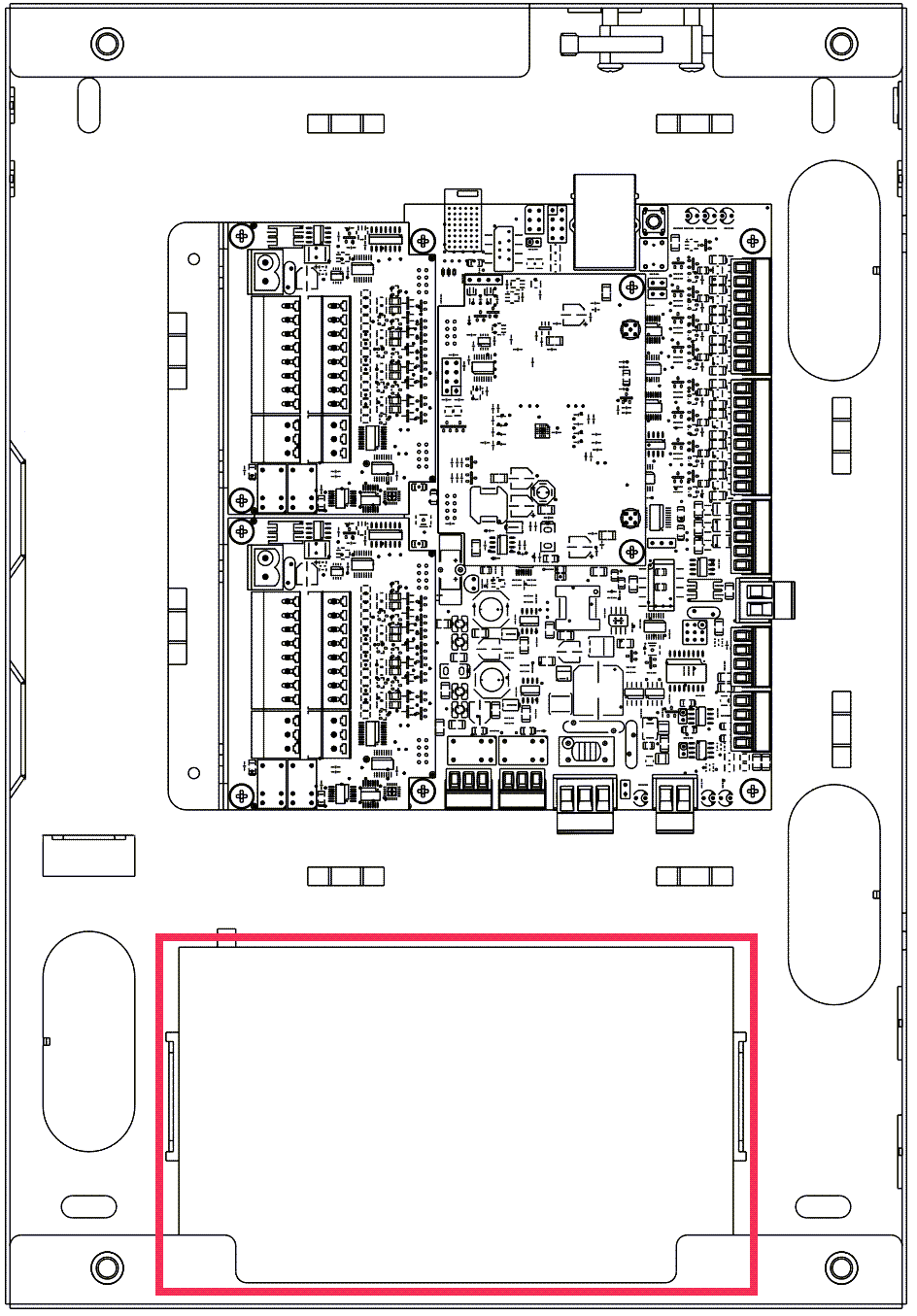
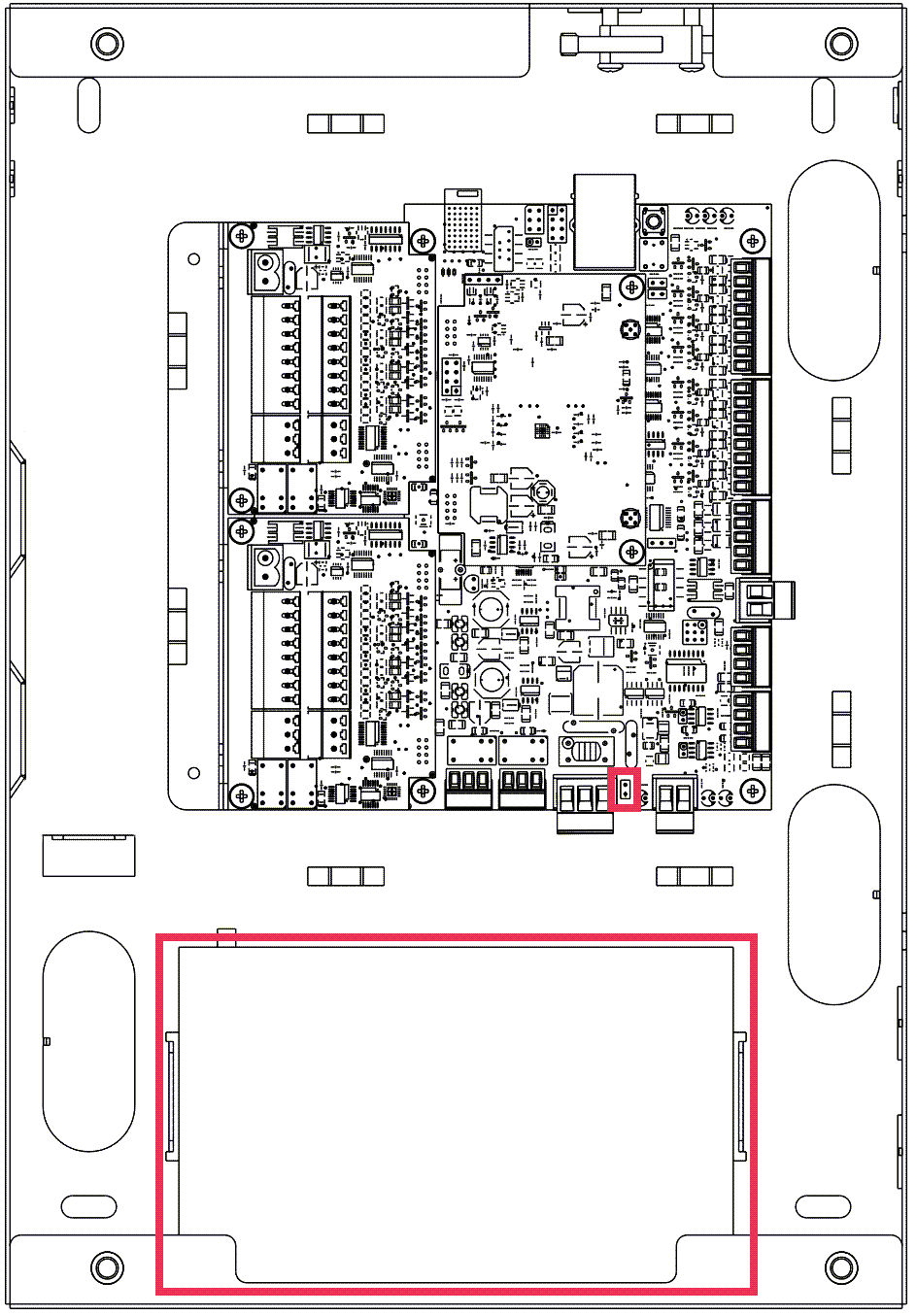
Install and secure the battery using the items supplied in the accessory bag.
For information about batteries, see S1000 Installation Guide.
-
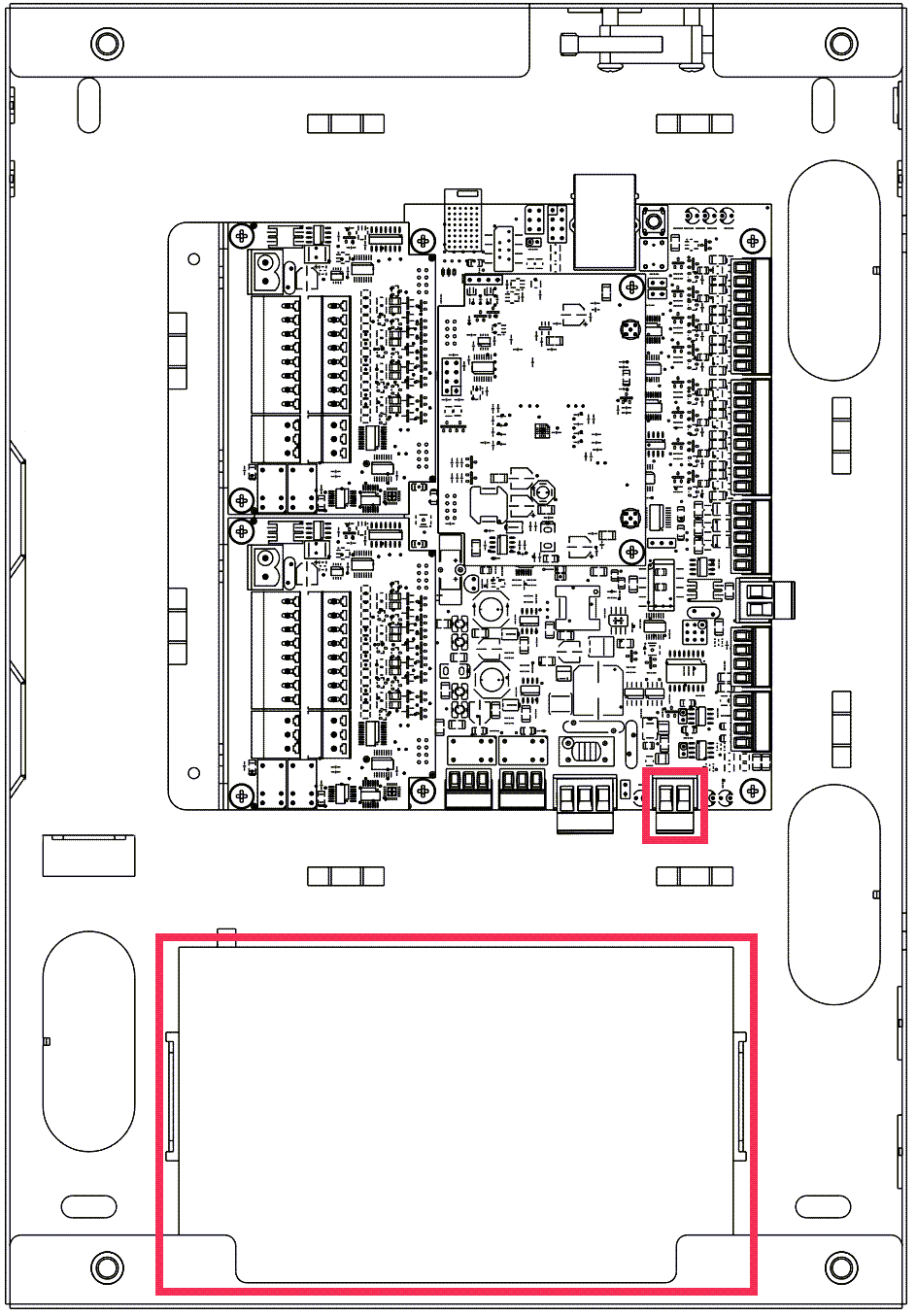
Connect the battery cables to the 2-pin connector at PL7.
-
Connect the battery temperature sensor cables with a 2-pin link at S4.
Attach the sensor probe to the battery.
Notes about the temperature sensor:
- The temperature sensor is sold separately.
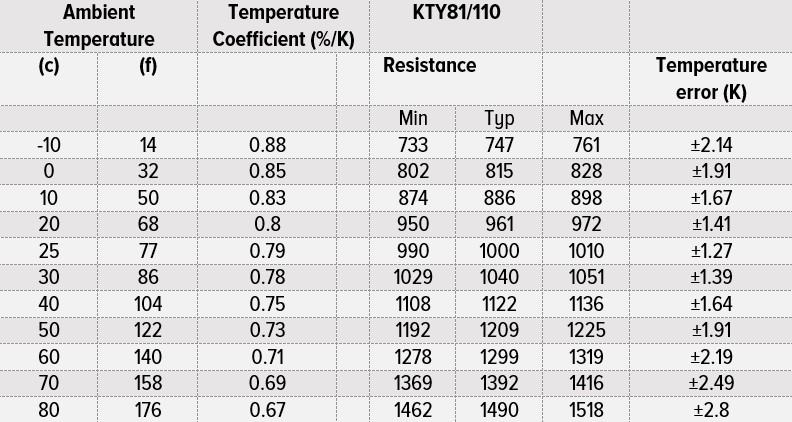
- A KTY81/110 temperature sensor is recommended.
-
A positive temperature coefficient of resistance may be used. Typically, 500Ω to 2.5kΩ. t=25°C (77°F) at 1kΩ.
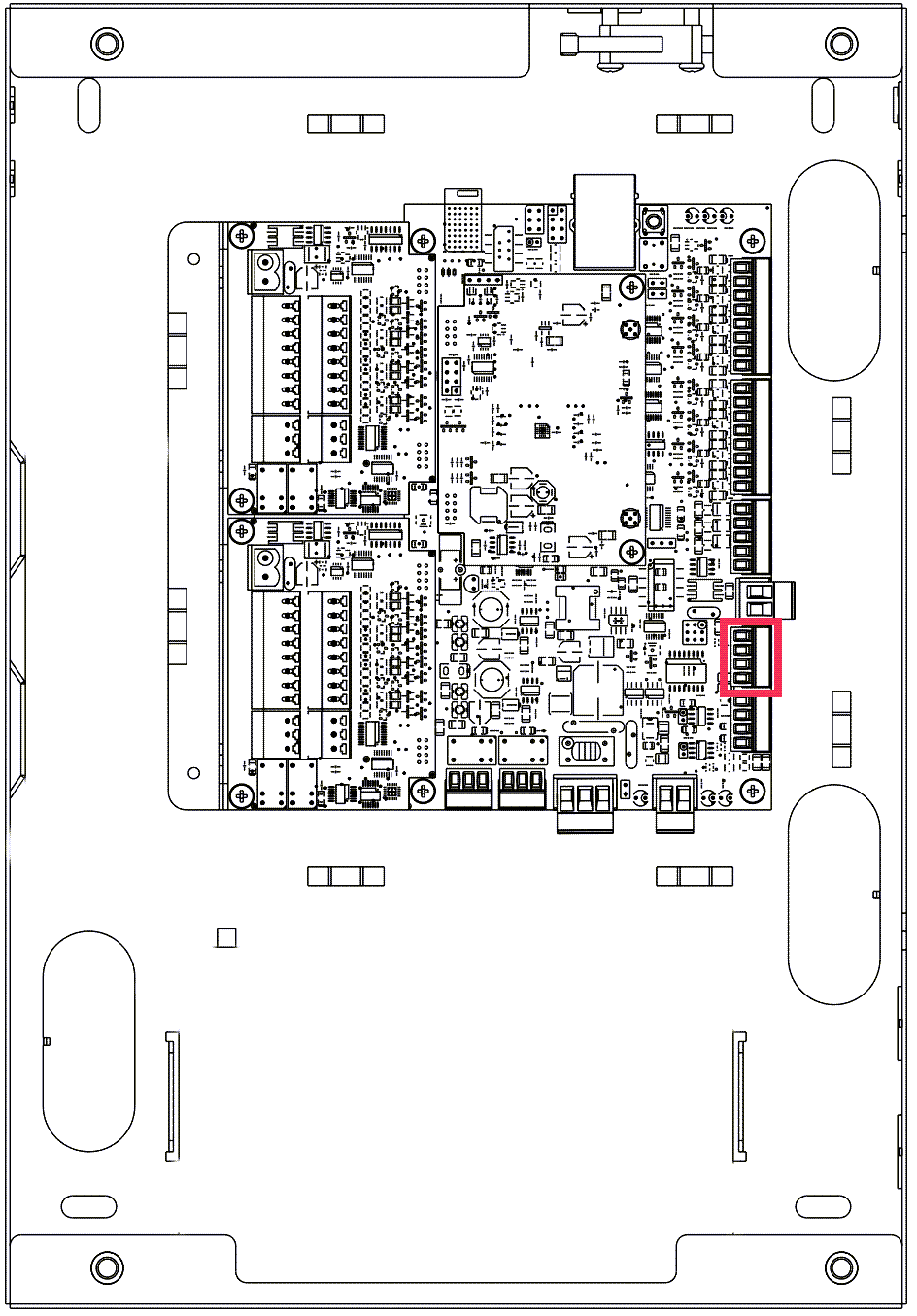
- Connect the keypad signals A and B to pins 2 and 3 of the 4-pin connector at PL5.
-
Connect the keypad cable shield to pin 1 of the 4-pin connector at PL5.
-
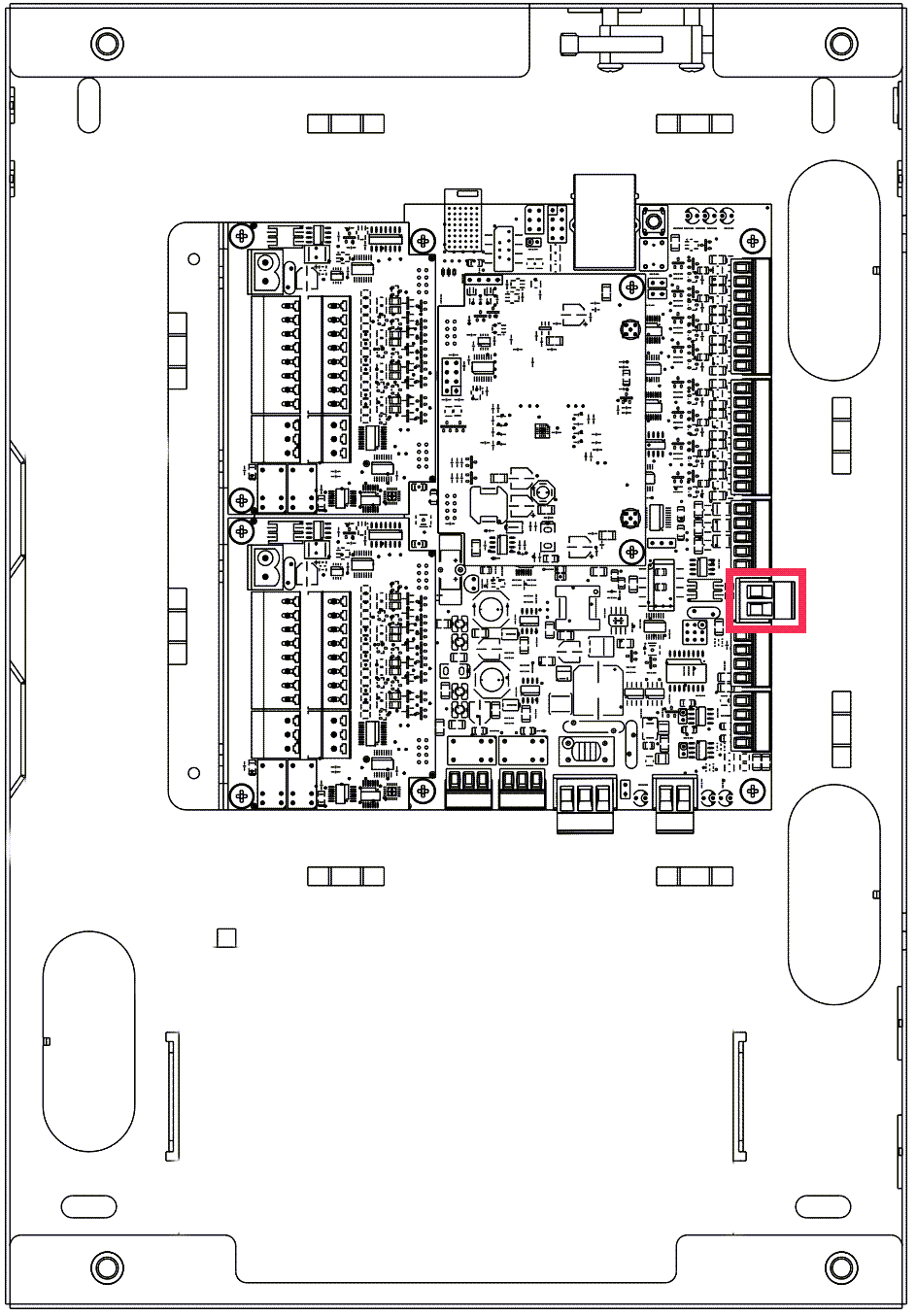
Connect the power signals of the keypad to the 2-pin connector (marked VOUT) at PL4.
There are two ways to configure the keypad connection.
-
Mount and secure the power supplies using items supplied in the accessory bag.
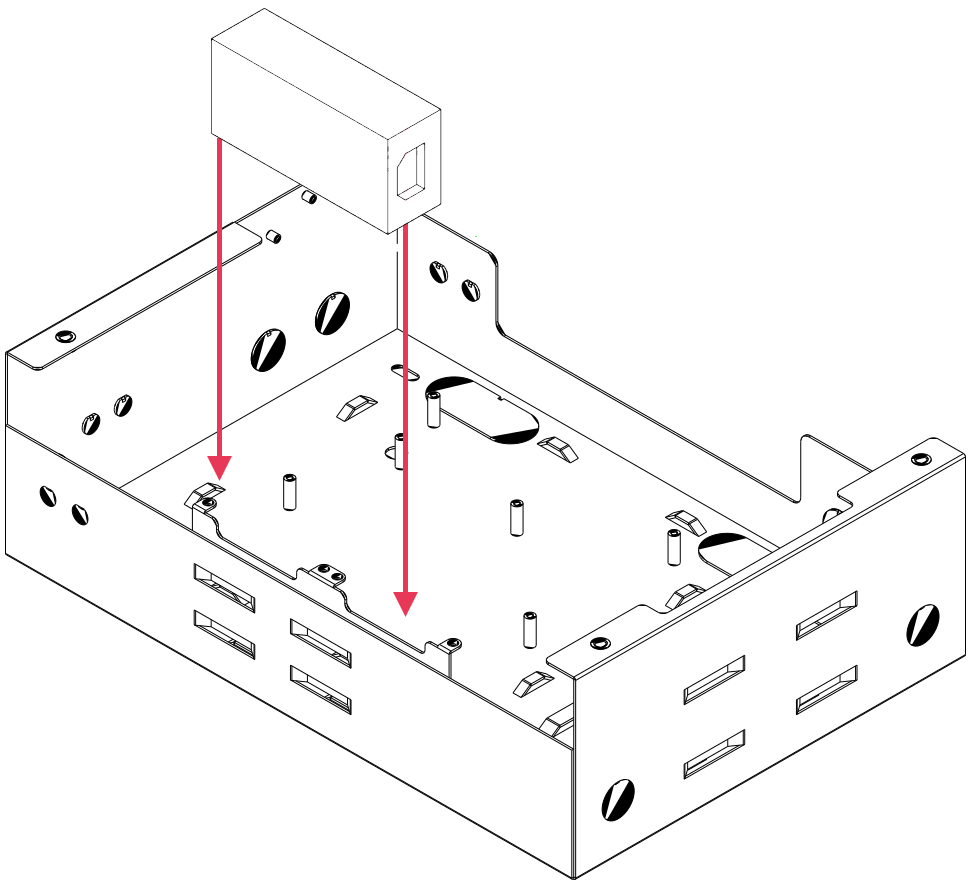
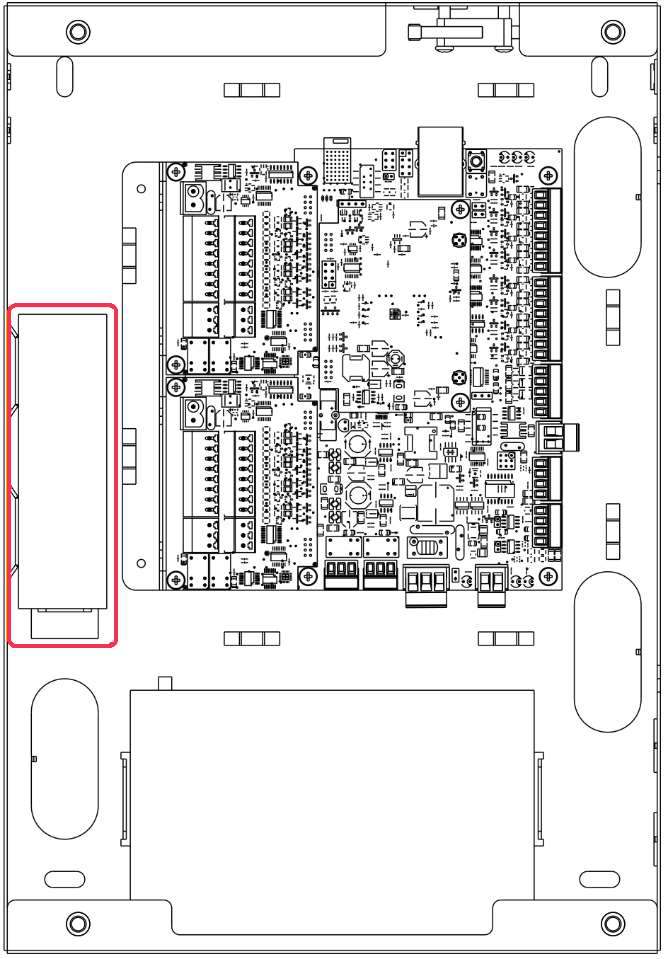
-
Connect the DC output of the power supply to the 3-pin connector at PL8.
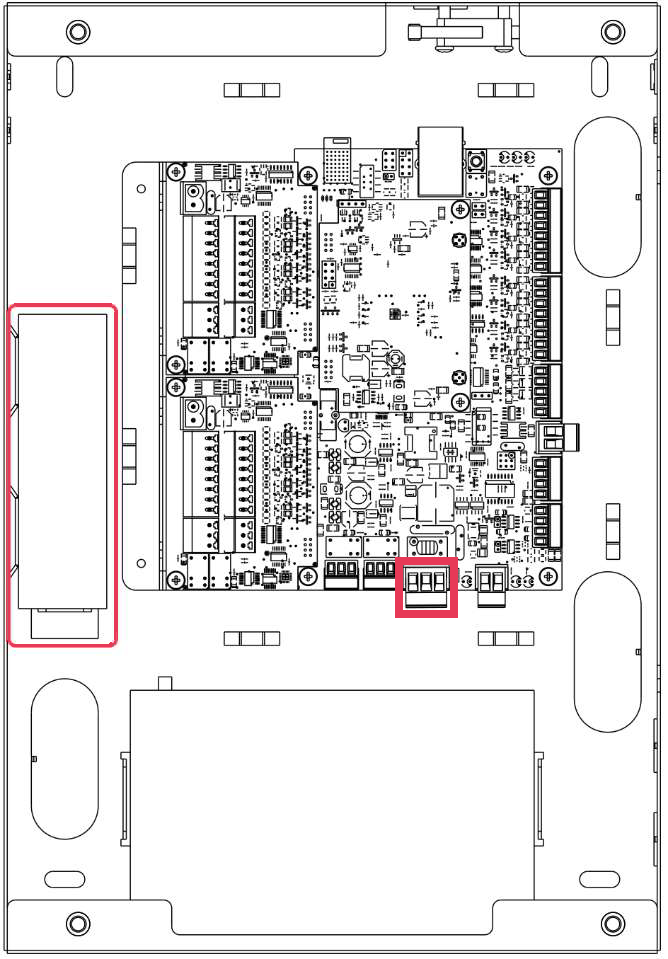
- Connect the AC power to the power supply input and switch on the system.
-
Connect the S1000 Controller to your system network.
For information about configuring network, see the Configuring S1000 section in the S1000 Installation Guide.
-
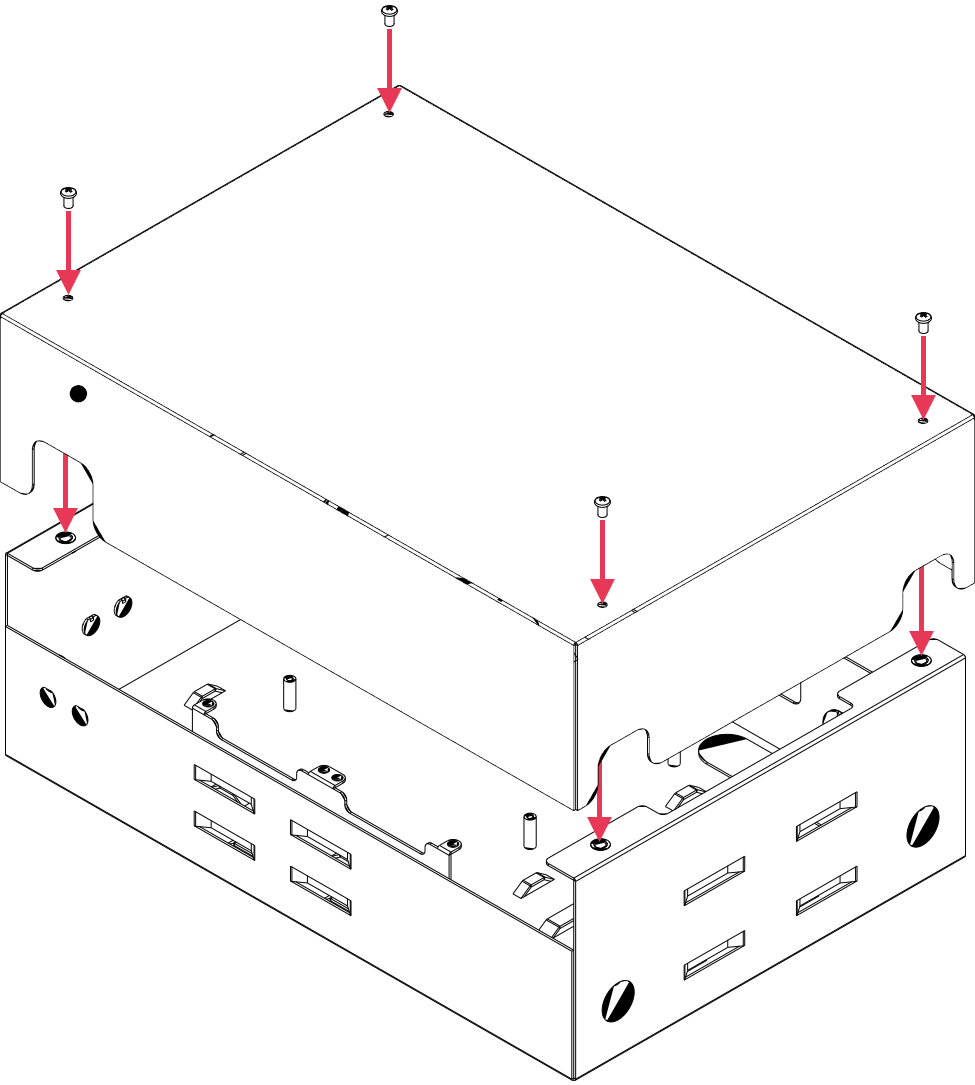
Place the lid over the base of the enclosure and secure into place using the supplied M4 screws.